Zigbee, Thread, Matter or Wi-Fi: Which Protocol in 2026?
Quick verdict: the golden rule
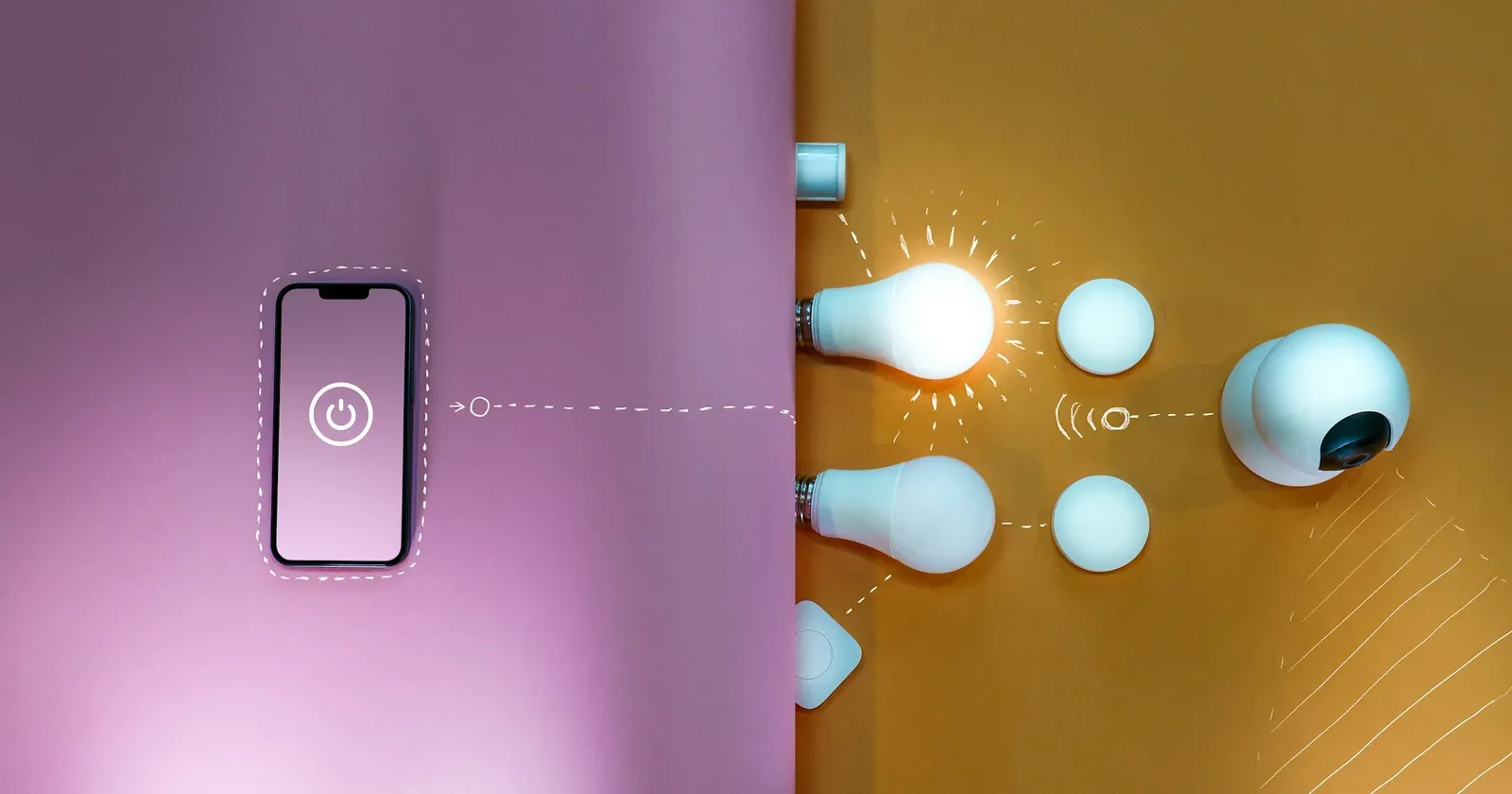
Matter is not a radio signal. Wi-Fi, Zigbee and Thread are ways of carrying signals. Matter is a common language: it travels over Wi-Fi, Thread (or Ethernet) so that devices from different brands understand each other. Asking “Zigbee or Matter?” is like asking “road or English?”
The best setup today:
- Zigbee 3.0 for the huge choice of devices and low prices.
- Thread / Matter for staying power: that’s where manufacturers are investing.
- Local Wi-Fi reserved for data-hungry devices, mainly video cameras.
The 4 technologies in plain English
Wi-Fi (2.4 GHz)
Fast, no hub required, and already in your home. Great for cameras, and for some thermostats and switches. The trade-off is power draw, which makes it a poor fit for battery devices. A home router also starts to struggle past roughly 25 to 30 devices, depending on the model. For your computers, the 6 GHz band of Wi-Fi 6E and Wi-Fi 7 avoids that congestion: see our comparison of USB Wi-Fi 7 and 6E adapters.
Zigbee 3.0
The king of affordable local automation. Very low power: a battery sensor often lasts 2 years. It forms a mesh network: every mains-powered device (plug, switch) relays the signal from farther battery-powered sensors. You need a radio stick or a hub, but the range of products is enormous.
Thread
The modern successor to Zigbee, built on IPv6. A self-healing mesh network that is fast and has no single point of failure: several border routers can coexist. The catalogue is still smaller than Zigbee’s.
Matter
The universal standard: a single device can work at the same time in Apple Home, Google Home, Alexa and Home Assistant, locally, without depending on the manufacturer’s cloud. It doesn’t replace the radio: it runs on top of Wi-Fi or Thread.
The 4 protocols compared
| Criterion | Local Wi-Fi | Zigbee 3.0 | Thread | Matter |
|---|---|---|---|---|
| Power use / batteries | High, not recommended on batteries | Very low, batteries last about 2 years | Very low | Depends on the transport (Thread: low, Wi-Fi: high) |
| Hub / radio | None (your router is enough) | Yes: USB stick or hub | Yes: border router (hub, speaker, stick) | Yes: a Matter controller |
| Mesh network | No (unless your router has mesh Wi-Fi) | Yes | Yes, self-healing | Depends on the transport |
| Choice and price | Very wide, prices vary | The widest, prices often low | Still limited, higher prices | Growing, uneven coverage by category |
| Offline (no Internet) | Often cloud-based, check product by product | Yes, 100% local | Yes | Yes, local control is the norm |
Table for guidance only: exact behaviour varies by manufacturer and firmware.
The gear that makes your home compatible with everything
The universal USB coordinator
Home Assistant Connect ZBT-1 (or Sonoff Zigbee 3.0 USB Dongle Plus-E)
Pros
- Runs your Zigbee and Thread sensors locally, without buying four different bridges
- Modest price, no subscription
- Works with Home Assistant and the usual Zigbee integrations
Cons
- A coordinator serves one network at a time: Zigbee or Thread, depending on the firmware installed
- It needs a Home Assistant server to work: the stick does nothing on its own
- Plug it in at the end of a USB 2.0 extension cable, away from USB 3.0 interference
The ready-to-use multi-protocol bridge
Aqara Hub M3
Pros
- Three roles in one box: Matter controller, Thread border router and Zigbee 3.0 bridge
- Works locally, without relying on Internet for basic automations
- Saves you from running a server if you'd rather not touch Home Assistant
Cons
- The Aqara app and account are still required for setup
- Aqara devices are better integrated than other brands
- Costs more than a simple USB stick, for less configuration freedom
The smart plug that doubles as a signal repeater
Zigbee plug (Sonoff S31 Lite zb or Aqara Smart Plug) or Matter over Thread plug (Eve Energy / Onvis S4)
Pros
- Controls an appliance and boosts radio range toward the basement or garage at the same time
- Every plug connected to power adds a relay to the mesh network
- Thread version: Matter-compatible, so it works across several ecosystems
Cons
- A plug only repeats while it stays powered: unplug it and the relay disappears
- Thread models cost more than Zigbee plugs
- Not all plugs are equally good repeaters: relay quality varies by model
The all-round sensor
Aqara motion, presence or door/window sensor (Zigbee or Matter over Thread)
Pros
- Near-instant local response, where a Wi-Fi sensor often goes through the cloud
- Battery lasts about 2 years, small and discreet
- Runs on a mesh network: the more plugs you add, the more reliable it gets
Cons
- Sensitive to distance: without a nearby relay plug, range drops quickly
- Can be finicky to pair with a non-Aqara stick: bring it close to the coordinator
- Check the version: a Zigbee model doesn't connect the same way as a Thread model
Where to start, concretely
- Starting from zero on a small budget: follow our $300 starter kit.
- Want a server more powerful than the basic box: read the guide to mini PCs for Home Assistant, then follow our Home Assistant install tutorial.
- Torn between Wi-Fi and Zigbee for lighting: compare them in the smart switch guide.
- Want to protect your home right away: start with water leak detectors, an excellent first Zigbee sensor.
- Want to filter the air (smoke, allergies) with a Zigbee or Matter device: read our smart air purifier comparison.
To see these protocols in action, read our guide to Aqara sensors with Home Assistant: vibration, door, motion and climate, over Zigbee or Matter.
To apply these protocols to lighting, see our smart bulb comparison: Zigbee, Thread or Wi-Fi Matter, with each model’s weak points. And to track 120 V appliance power while strengthening your mesh, read our Matter and Zigbee smart plug comparison.
Frequently asked questions (FAQ)
Will my existing Zigbee devices become obsolete because of Matter?
No. Zigbee is a well-established protocol, and a coordinator or bridge like the ones above will keep your devices working. Many Zigbee bridges can also expose your devices over Matter. New products are moving to Thread, but there is no reason for your current sensors to stop working.
Can I mix Zigbee, Thread and Wi-Fi devices in the same home?
Yes, and that's the norm. The three radio networks coexist: a coordinator or hub brings them together, and Home Assistant or Matter acts as the common language. One catch: a single USB coordinator only runs one network at a time, so plan on a multi-protocol hub or two radios if you want Zigbee and Thread together.
Do Matter and Zigbee need an active Internet connection?
Not for everyday use: Zigbee and Matter work locally, so commands and automations keep running without Internet. You do need it for remote access, for voice assistants like Alexa or Google, and for some initial setup steps in the manufacturer's app.
Do these protocols work in Canada, and are there devices I should avoid?
Yes. Zigbee, Thread and Wi-Fi all use the worldwide 2.4 GHz band, and products sold on Amazon.ca comply with Canadian rules. Avoid devices built for Europe, which use 230 V and sometimes 868 MHz radios that don't suit North America, and look for the cUL or CSA mark on anything that plugs into mains power.