Which Mini PC for Home Assistant and a Local Smart Home?
Quick verdict
- Best ready-to-go: Home Assistant Green. Official box, silent, fanless, tiny power draw, zero subscription. You plug it in and it starts. Its weak point: not enough horsepower for heavy tasks like video.
- Best for performance and room to grow: Beelink Mini S12 Pro (or EQ13) with an Intel N100 processor. 16 GB of RAM, fast SSD, able to handle dozens of automations and local video recording with Frigate. Its weak point: you have to install Home Assistant yourself.
- Most discreet: GMKtec NucBox G3 / G5, tiny and affordable.
- Tight budget: refurbished Lenovo ThinkCentre M720q or Dell OptiPlex Micro. Rock-solid business hardware, but hungrier for electricity. For the rest of the gear you’ll need, see the $300 starter kit.
None of these options needs a subscription. Once you’ve chosen, follow our step-by-step tutorial for installing Home Assistant on a Mini PC.
Want to control the house by voice? Compare Alexa, Google Home, Apple Home and Home Assistant before choosing your server, then follow our tutorial to build a 100% local voice assistant.
Why ditch the Raspberry Pi
1. The real cost. A Raspberry Pi 5 on its own looks cheap. Add the case, the official power supply, cooling and an NVMe SSD with its adapter, and the bill often catches up with a complete mini PC that ships with a case, power supply, RAM and SSD.
2. Storage reliability. Home Assistant writes constantly to its database. microSD cards wear out under that load, and they eventually corrupt, often at the worst moment. A real SSD handles the work for years.
3. Headroom. An Intel N100 processor draws about 6 to 10 W at idle, roughly the same as a Pi, while being several times faster. That margin lets you add Frigate, a heavier database or add-ons without slowing the system down.
The 4 options compared
| Option | Processor | Storage | Idle power | Approximate budget |
|---|---|---|---|---|
| Beelink Mini S12 Pro | Intel N100, 16 GB RAM | 500 GB SSD | Around 6 – 10 W | Around $200 – $300 |
| Home Assistant Green | ARM, 4 GB RAM | 32 GB eMMC | Around 2 W | Around $150 – $190 |
| GMKtec NucBox G3 / G5 | Intel N100 / N97 | Built-in SSD | Around 6 – 12 W | Around $150 – $250 |
| Lenovo M720q / Dell OptiPlex Micro (refurbished) | 8th-gen Intel Core | SSD, depending on the listing | Around 10 – 20 W | Around $120 – $250 |
Power draw and ranges are approximate (CAD) and depend on configuration and promotions. Use the “Check the price on Amazon.ca” button for today’s price.
1. Beelink Mini S12 Pro: best for performance
The best balance of power, price and power draw. It runs Home Assistant OS or Docker with room to spare, and it handles video from a few no-subscription cameras with Frigate.
Beelink Mini S12 Pro (Intel N100, 16 GB, 500 GB)
Pros
- Intel N100: fast for its price and power draw
- 16 GB of RAM and a 500 GB SSD as standard
- Can handle Frigate and dozens of automations
- Ethernet, Wi-Fi and several USB ports
Cons
- Windows is preinstalled: you have to wipe it and install Home Assistant OS yourself, with a trip into the BIOS
- The exact SSD type (NVMe or SATA) and component brands vary between batches: check the listing
- There's a small fan, noisier than the Green's under heavy load
2. Home Assistant Green: easiest for beginners
Designed by Nabu Casa, the team behind Home Assistant. No BIOS, no installation: you plug in a network cable and the power, and follow the setup wizard.
Home Assistant Green
Pros
- Official box, nothing to install
- Silent, fanless, about 2 W
- Your purchase funds Home Assistant's development
- No subscription
Cons
- Limited power: not suited to Frigate or large databases
- 32 GB eMMC storage that can't be expanded
- Ethernet only, no Wi-Fi
- You need to add a Zigbee or Thread dongle to talk to sensors
3. GMKtec NucBox G3 / G5: the ultra-compact format
A box so small it hides behind a router or a piece of furniture. Quiet day to day, affordable.
GMKtec NucBox G3 / G5 (Intel N100 / N97)
Pros
- Tiny format, easy to hide
- N100 or N97 processor, enough for Home Assistant and a few extras
- Quiet in normal use
- Affordable
Cons
- RAM and storage are sometimes soldered or limited, depending on the version: less room to upgrade
- The fan is noticeable under heavy load
- Windows preinstalled, like Beelink: installation means a trip into the BIOS
4. Refurbished Lenovo ThinkCentre M720q / Dell OptiPlex Micro: the unbreakable one
Business hardware, built to run for years without complaint. Often the best value on the used market.
Lenovo ThinkCentre M720q / Dell OptiPlex Micro (refurbished)
Pros
- Sturdy build, designed for continuous use
- RAM and SSD are easy to replace or upgrade
- Plenty of parts and documentation
- Excellent price, often cheaper than a new mini PC
Cons
- Idle power draw is higher than an N100's, often double
- Condition and warranty vary by seller: insist on at least a few months of warranty
- Bigger than a Beelink or a GMKtec, and a bit noisier
The 2 accessories not to forget
1. A Zigbee / Thread USB coordinator dongle. It lets Home Assistant talk directly to your sensors and switches, with no proprietary bridge or cloud. Two common choices: the Home Assistant Connect ZBT-1 or the Sonoff Zigbee 3.0 USB Dongle Plus-E. Without a dongle, your server only speaks Wi-Fi.
Zigbee / Thread coordinator dongle (Home Assistant Connect ZBT-1 or Sonoff Zigbee 3.0 USB Dongle Plus-E)
Pros
- Talks directly to your Zigbee devices, no proprietary bridge
- Modest price, no subscription
- Works with the ZHA and Zigbee2MQTT integrations
Cons
- A coordinator only handles one network at a time: choose Zigbee or Thread depending on the firmware
- Badly placed, it suffers interference, hence the tip below
2. A 1 to 2 metre USB 2.0 extension cable. USB 3.0 ports emit radio interference in the 2.4 GHz band, the same one Zigbee uses. A dongle plugged straight into the box gets its signal jammed: devices dropping off, slow responses, an unstable network. An extension that moves the dongle away from the mini PC fixes it. Keep it away from the router and any external hard drive too.
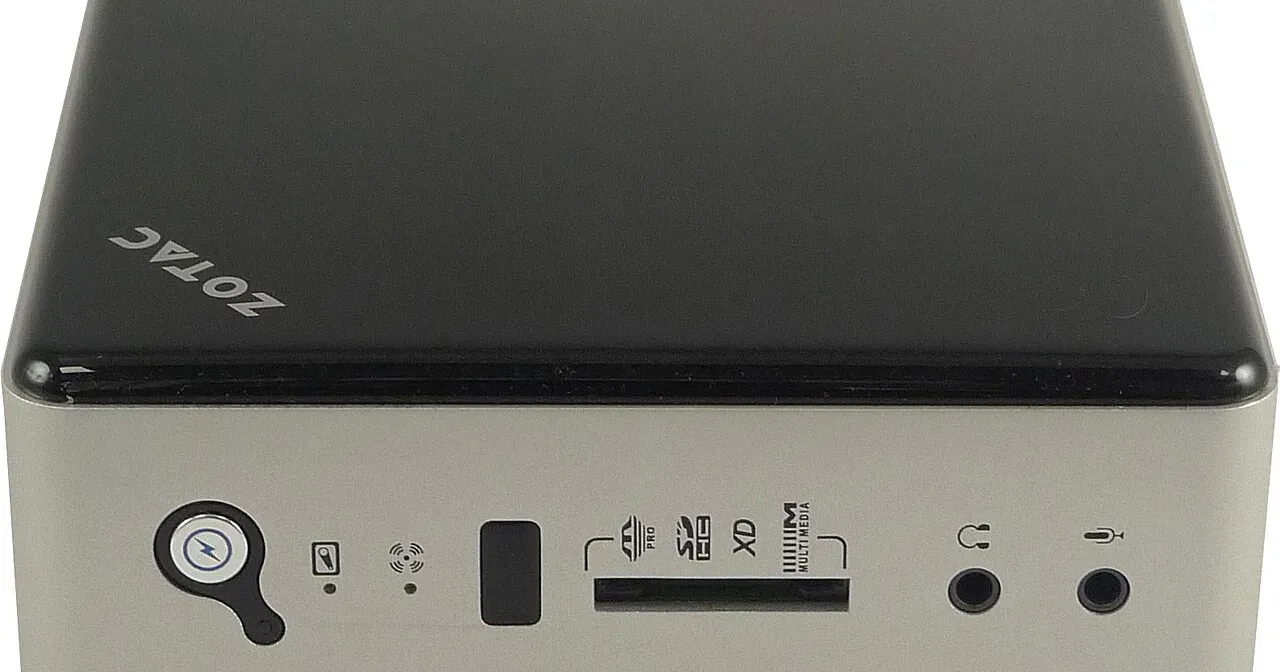
Photo: “ZOTC ZBOX mini-PC - Front”, VIA Gallery from Hsintien, Taiwan, Wikimedia Commons, CC BY 2.0 (cropped and converted).
Frequently asked questions (FAQ)
How much does it cost in electricity to leave a mini PC on 24/7?
Very little. A 10 W device uses about 88 kWh a year (10 W × 8,760 h). At typical Canadian rates, that's a few dollars to roughly ten dollars a year, depending on your utility. The Green, at about 2 W, costs less than a dollar. An old refurbished PC drawing 20 W can cost twice that. For your own case, multiply the kWh by your rate.
Do I need to know how to code to use Home Assistant?
No. Automations are built in the graphical interface, without a line of code. YAML becomes useful for advanced needs, but it isn't required to get started. Do plan on a few evenings of learning to get the concepts.
Do my automations work if the Internet goes down?
Yes, as long as they rely on local devices: Zigbee, Thread, local Wi-Fi. Home Assistant runs in your home. What stops are the integrations that go through the cloud (some brands, voice, remote services). If the power goes out, the server shuts down too: a small UPS (uninterruptible power supply) protects the mini PC and your router.
What happens to my smart home server during a power outage?
The mini PC shuts off, like the router, and your automations stop until the power returns. During an ice storm or a prolonged outage, a small UPS of a few hundred watts keeps the server and router running for a while. These devices' power adapters take the North American 120 V plug with no transformer.