Measure Your Hydro-Québec Usage: 5 Local Energy Monitors
A note for readers outside Quebec: this article is built around Hydro-Québec’s Flex D rate. The monitors themselves work anywhere in Canada, and many utilities offer time-of-use or peak-event programs, so the same automations apply. Check your own utility’s rules and your province’s electrical regulations before you install anything.
Quick verdict
- Best pick to see everything: Emporia Vue 3 (16 sensors). Clamps on 16 panel circuits, including 240 V baseboards. Its weak point: the manufacturer’s cloud by default, unless you reflash it with ESPHome.
- Best 100% local pick: Shelly EM Gen3. Two clamps, built-in web interface, native Home Assistant integration. Ideal for tracking the whole house’s consumption or one big 240 V appliance. Its weak point: it only measures one line at a time, which calls for careful setup on 120/240 V.
- Best for the Flex D rate: Sinopé Calypso RM3500ZB. A Zigbee water heater controller designed in Quebec, which measures and cuts the water heater during peaks. Its weak point: you need a Zigbee coordinator and an electrician.
- Best power-monitoring plugs: THIRDREALITY Smart Plug Gen3 (Zigbee) or TP-Link Kasa KP125M (Matter). For 120 V devices: dehumidifier, space heater, freezer, server.
An energy monitor doesn’t lower your bill by magic. It shows you where your kilowatt-hours go. The savings come from the automations you build afterward.
Why measure before winter
Hydro-Québec now bills differently for the hours when the grid is most strained. With the Flex D rate, electricity costs less than Rate D most of the time in winter, but much more during peak events. Here’s what to remember:
- The winter period runs from December 1 to March 31.
- Peak events fall on any day of the week, between 6 a.m. and 10 a.m. or between 4 p.m. and 8 p.m.
- Hydro-Québec limits peaks to 120 hours per winter at most, and warns you ahead of time through the Customer Area.
- The winter credit option no longer accepts new enrolments as of April 1, 2026. Customers already enrolled keep it. For a new customer, the Flex D rate is therefore the main way to benefit from peaks.
Prices change every April 1: check the rate in force in your Customer Area before running your numbers.
The problem is simple. To lower your consumption during a peak, you need to know what’s drawing power at 7 a.m. on a January morning. Your Hydro-Québec meter gives an hourly reading in the Customer Area, but with a delay and without per-appliance detail. A local monitor gives real-time consumption, circuit by circuit or device by device, directly in Home Assistant.
Plug or panel: the 120 V / 240 V trap
This is the most common mistake. A smart plug goes into a 120 V, 15 A wall outlet. It measures about 1,800 W at most, and it’s better to stay under 80% of that continuously.
But in Quebec, the big winter loads are almost all 240 V, wired straight into the panel: electric baseboards, water heater, dryer, range, EV charger, heat pump. A plug will never see them.
- For heating, the water heater and the EV charger: a clamp monitor in the panel (Emporia Vue, Shelly EM) or a dedicated controller (Sinopé Calypso).
- For 120 V devices: power-monitoring plugs. They’re useful for spotting the dehumidifier that runs nonstop, the old basement freezer or the office space heater.
For the baseboards themselves, a smart thermostat that displays its consumption often does the job: see our comparison of 240 V baseboard thermostats.
The 5 solutions compared
| Solution | What it measures | Protocol | 100% local | Installation | Approximate budget |
|---|---|---|---|---|---|
| Emporia Vue 3 (16 sensors) | Whole house + 16 circuits, 120 V and 240 V | Wi-Fi | Not by default (yes with ESPHome) | Panel, electrician | Around $220 – $330 |
| Shelly EM Gen3 | 2 channels (house or one big appliance) | Local Wi-Fi | Yes | Panel, electrician | Around $70 – $110 |
| Sinopé Calypso RM3500ZB | Water heater up to 20.8 A at 240 V | Zigbee | Yes (with coordinator) | At the water heater, electrician | Around $100 – $160 |
| THIRDREALITY Smart Plug Gen3 | One 120 V, 15 A device | Zigbee | Yes (with coordinator) | Plugs in | Around $15 – $25 each |
| TP-Link Kasa KP125M | One 120 V, 15 A device | Matter (Wi-Fi) | Yes (Matter or local network) | Plugs in | Around $15 – $30 each |
Ranges are approximate (CAD) and may change. Use the “Check the price on Amazon.ca” button for today’s price.
1. Emporia Vue 3 (16 sensors): best pick to see everything
The Emporia Vue 3 mounts inside the electrical panel. Two big 200 A clamps go around the service entrance and measure the whole house. Sixteen small 50 A clamps go on the circuits of your choice: living-room baseboards, water heater, dryer, EV charger. It handles the North American two-line residential system (120/240 V).
It’s the only device on this list that answers “what’s drawing power right now?” for the whole house. The downside: by default, all measurements go through Emporia’s cloud. The community project emporia-vue-local lets you replace the firmware with ESPHome to send data straight to Home Assistant, with no cloud. It’s doable, but you have to open the case, connect a serial adapter and accept losing the warranty.
A tip for a 240 V circuit (baseboard, water heater): a single clamp on one of the two wires is often enough, as long as you double the value in the configuration. Check the method in the documentation, because it changes with the firmware.
Emporia Vue 3 (16 sensors)
Pros
- Measures the whole house and up to 16 circuits, including 240 V loads
- Per-second data, ideal for spotting what draws power during a peak
- Can become 100% local with ESPHome firmware
- Several Vue units can be combined to cover a large panel
Cons
- Manufacturer's cloud required until you reflash it
- The ESPHome conversion takes tools and voids the warranty
- Installed inside the panel: call an electrician
- Check the seller's listing for the Canadian certification mark (cUL or CSA)
2. Shelly EM Gen3: best 100% local pick
The Shelly EM Gen3 is a small module with two clamp inputs. It has a built-in web interface, a local API and a native Home Assistant integration: no account or cloud required. You use it in one of two ways: one clamp on each line of the service entrance for total consumption, or two clamps on one big appliance, like the water heater or the EV charger.
The module measures voltage on a single line. In a 120/240 V panel, you have to power it from the measured line and orient each clamp correctly, otherwise the values are wrong. The Home Assistant community documents this setup well, but it takes rigour.
Shelly EM Gen3 (50 A clamps)
Pros
- 100% local: web interface, API, MQTT and native Home Assistant integration
- Small format, easy to fit near the panel
- 50 A or 120 A clamps depending on the use
- The lowest entry price for tracking a 240 V appliance
Cons
- Only two channels: no circuit-by-circuit detail
- Designed for a single line: on 120/240 V, setup is delicate
- Some versions on sale don't carry UL or cUL certification: check before you buy
- Installed inside the panel: call an electrician
3. Sinopé Calypso RM3500ZB: best for the Flex D rate
The water heater is the easiest load to shift out of peaks: a well-insulated tank keeps its water hot through the four hours of an event. The Calypso, from Quebec company Sinopé, is a Zigbee 3.0 controller that goes on the electric water heater’s supply, up to 20.8 A at 240 V. It displays the power drawn and includes a temperature probe. It also accepts a water-detection cable, sold separately, to cut the water heater in case of a leak.
With a Zigbee coordinator, it works without Internet in Home Assistant (ZHA or Zigbee2MQTT). One precaution: don’t cut the water heater without a safeguard. The water has to stay hot enough to limit the risk of Legionnaires’ disease; Hydro-Québec points this out in its Flex D rate advice. Program an automatic restart at the end of each peak.
Sinopé Calypso RM3500ZB
Pros
- Designed in Quebec for 240 V electric water heaters
- Measures power and water temperature
- Works offline with Home Assistant (ZHA or Zigbee2MQTT)
- Can cut the water heater on a leak with the optional detection cable
Cons
- You need a Zigbee coordinator, or the Sinopé gateway for the Neviweb app
- Installed by an electrician, per the manufacturer's guide
- Misused, it can let the water cool for too long: plan a safeguard
4. THIRDREALITY Smart Plug Gen3: the Zigbee power-monitoring plug
It’s the simplest plug for measuring 120 V devices in a Zigbee home. It’s factory-calibrated (claimed accuracy of ±1%), repeats the Zigbee signal for the rest of the network and offers a “measure only” mode that prevents you from cutting the device by mistake. That mode is handy for a freezer or a sump pump.
THIRDREALITY Smart Plug Gen3 (Zigbee)
Pros
- Accurate power and energy measurement, visible in Home Assistant's Energy dashboard
- Built-in Zigbee repeater: strengthens the mesh
- "Measure only" mode to avoid accidental shutoffs
- Often sold in packs, so a good price per plug
Cons
- You need a Zigbee coordinator
- Limited to 15 A at 120 V: useless for baseboards and the water heater
- ETL certification: check for the cETL mark for Canada on the packaging
- Fairly wide: it can block the second outlet of a duplex receptacle
5. TP-Link Kasa KP125M: the Matter plug for people without Zigbee
No Zigbee coordinator? The KP125M connects to Wi-Fi and speaks Matter. It adds to Home Assistant, Apple Home, Google Home or Alexa and is controlled over the local network. To understand the difference between Matter, Zigbee and Wi-Fi, read our guide to smart home protocols.
TP-Link Kasa KP125M (Matter)
Pros
- No hub required: Wi-Fi and Matter
- Real-time power measurement
- Works with Home Assistant, Apple Home, Google Home and Alexa
- Compact format that frees the second outlet
Cons
- Wi-Fi: a dozen plugs load your router more than a Zigbee network would
- The consumption data sent over Matter depends on the firmware and the Home Assistant version: test one before buying several
- Limited to 15 A at 120 V
Examples of local automations for peaks
Since version 2026.11, Home Assistant includes Hydro-Québec Peak Events, an official integration that reads Hydro-Québec’s open data. It needs no username or password. It creates sensors for “event in progress,” “event today or tomorrow, morning or evening,” as well as the start and end time of the next event. Only the peak notice comes from the Internet: the automations themselves run at home.
If you don’t have a server yet, our guide to installing Home Assistant on a Mini PC gets you there in an evening. In the examples below, replace the entity names with those of your own installation.
1. Preheat two hours before the peak. Raise the thermostats by 1 °C or 2 °C before the event to store heat in the house.
alias: Hydro-Québec peak - preheat
trigger:
  - platform: time
    at:
      entity_id: sensor.hydro_quebec_debut_evenement_pointe
      offset: "-02:00:00"
action:
  - service: climate.set_temperature
    target:
      entity_id:
        - climate.salon
        - climate.cuisine
    data:
      temperature: 22
2. During the peak: lower the heating and cut the water heater. At the start of the event, lower the thermostats and cut the Calypso. At the end, restore everything.
alias: Hydro-Québec peak - load shedding
trigger:
  - platform: state
    entity_id: binary_sensor.hydro_quebec_evenement_pointe_en_cours
    to: "on"
    id: debut
  - platform: state
    entity_id: binary_sensor.hydro_quebec_evenement_pointe_en_cours
    to: "off"
    id: fin
action:
  - choose:
      - conditions:
          - condition: trigger
            id: debut
        sequence:
          - service: climate.set_temperature
            target:
              entity_id:
                - climate.salon
                - climate.cuisine
            data:
              temperature: 19
          - service: switch.turn_off
            target:
              entity_id: switch.calypso_chauffe_eau
      - conditions:
          - condition: trigger
            id: fin
        sequence:
          - service: switch.turn_on
            target:
              entity_id: switch.calypso_chauffe_eau
          - service: climate.set_temperature
            target:
              entity_id:
                - climate.salon
                - climate.cuisine
            data:
              temperature: 21
3. Alert if a power-hungry device runs during the peak. If a power-monitoring plug goes above 500 W during an event (space heater, dehumidifier), send a notification to your phone.
4. Spot standby consumption. Every night at 3 a.m., record the total power measured by the Emporia Vue or the Shelly EM. If it climbs from one week to the next, a device has started running continuously. A freezer with a leaking door seal, for example, shows up this way.
Before you open the panel
- Have an electrician install the clamps. In Quebec, electrical work is regulated by the Régie du bâtiment. A panel’s main busbars stay energized even with the main breaker off. An electrical contractor (RBQ licence, CMEQ member) fits a clamp monitor in no time.
- Check the room in the panel. Clamps and wires take up space; a panel that’s already full may require mounting the monitor in a box beside it.
- Think about Wi-Fi. A metal panel in the basement blocks the signal. The Emporia Vue has an external antenna; for the Shelly, test the signal before installing.
- Write down your circuits. Before the electrician’s visit, list the breakers to monitor first: heating in the main rooms, water heater, dryer, EV charger.
To estimate what your lights and tree cost over the holidays, read our guide to automating Christmas decorations. And if you want to measure individual 120 V appliances (washer, dehumidifier, freezer) without touching the electrical panel, see our comparison of the best Matter and Zigbee smart plugs with energy monitoring.
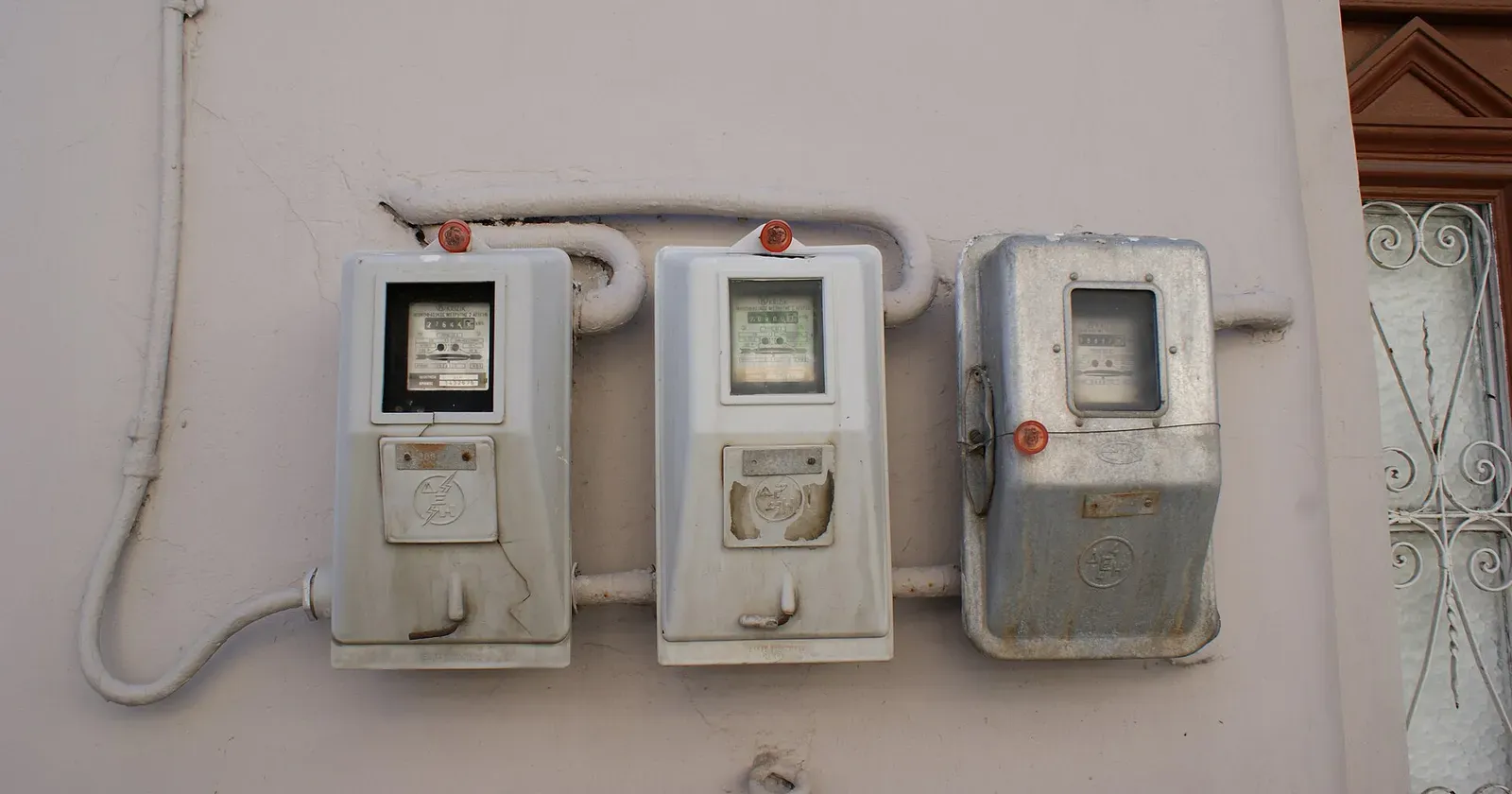
Photo: “Kos-Kos city-Electricity meter-01ASD”, Asurnipal, Wikimedia Commons, CC BY-SA 4.0 (cropped and converted).
Frequently asked questions (FAQ)
Is the Flex D rate worth it for a home heated with baseboards?
Often, yes, if you can reduce your heating during peak events. Off-peak in winter, the price is lower than Rate D's. During peaks, between 6 a.m. and 10 a.m. or between 4 p.m. and 8 p.m., it's much higher, for a maximum of 120 hours per winter. A home that preheats before the peak and lowers its thermostats during it generally comes out ahead. With no automation and a family at home all day, the risk is greater. Run the numbers with your history in the Customer Area before you sign up.
Can a smart plug measure the consumption of my baseboards or my water heater?
No. A smart plug is limited to 15 A at 120 V, about 1,800 W. Baseboards, the water heater, the dryer, the range and the EV charger are wired at 240 V straight into the panel. For those, you need a clamp monitor in the panel (Emporia Vue, Shelly EM) or a dedicated controller like the Sinopé Calypso for the water heater.
Do these energy monitors work without Internet?
It depends on the model. The Shelly EM, the Zigbee Sinopé Calypso and Zigbee plugs keep measuring and automating without Internet with Home Assistant. The Emporia Vue sends its data to the manufacturer's cloud by default; it becomes local only after reflashing with ESPHome. Only the peak-event notice needs Internet, since it comes from Hydro-Québec.
Do I need an electrician to install a monitor in the electrical panel?
Yes, that's the way to go in Quebec. Fitting clamps inside a live panel exposes you to the main busbars, which stay energized even with the main breaker off. Electrical work is regulated by the Régie du bâtiment du Québec: hire an electrical contractor holding an RBQ licence and a CMEQ member. Expect a short visit for a clamp monitor.