Best Smart Bulbs in Canada With No Subscription (A19)
Four A19 bulbs with an E26 base on 120 V, all sold for the Canadian market, all with no monthly subscription and all capable of local control: that is the lineup below. A smart bulb is not an expensive way to switch a light from your phone. Chosen well, it is a node in your smart home network.
Always check the listing for cUL, ETL or CSA certification, and confirm availability on Amazon.ca before you order: stock for some models varies.
Quick verdict: which one to pick
- Best light and colour quality: Philips Hue White and Color Ambiance A19. Very smooth transitions, excellent local reliability, a good Zigbee repeater. Weak point: clearly higher price per bulb, and you need a Hue Bridge (or a Zigbee coordinator) to unlock every feature.
- Best modern pick with no proprietary bridge: Nanoleaf Essentials Matter A19. Matter over Thread, near-instant response. Weak point: needs a recent Thread border router.
- Best brightness for the price, no hub: TP-Link Tapo L535E. 1100 lumens, Matter over Wi-Fi. Weak point: 2.4 GHz Wi-Fi, so one IP address per bulb.
- The budget option: Philips Hue White A19. Local Zigbee, warm white only, far cheaper than the colour version. Weak point: no colour, and you need the same bridge or Zigbee coordinator as the colour Hue.
Quick comparison
| Model | Protocol | Brightness | Spectrum | Hub required | Local Home Assistant integration | Approximate budget |
|---|---|---|---|---|---|---|
| Philips Hue White and Color Ambiance A19 | Zigbee (+ Bluetooth) | About 800 lm | RGB colours + tunable white | Hue Bridge or Zigbee stick (Bluetooth is enough for a few bulbs) | Yes: Hue Bridge, ZHA or Zigbee2MQTT | Around $50 – $90 |
| Nanoleaf Essentials Matter A19 | Matter over Thread | About 800 lm | RGB colours + tunable white | Thread border router | Yes: local Matter | Around $20 – $40 |
| TP-Link Tapo L535E (Matter) | Matter over 2.4 GHz Wi-Fi | 1100 lm | RGB colours + tunable white | None | Yes: local Matter | Around $15 – $35 |
| Philips Hue White A19 | Zigbee (+ Bluetooth) | About 800 lm | Warm white only (dimmable) | Hue Bridge or Zigbee stick (Bluetooth is enough for a few bulbs) | Yes: Hue Bridge, ZHA or Zigbee2MQTT | Around $15 – $30 |
Approximate prices in Canadian dollars, varying with promotions and multi-packs. The “Check the price on Amazon.ca” buttons show today’s price.
Zigbee, Thread or Wi-Fi Matter: which protocol for your bulbs?
Wi-Fi Matter: 3 to 6 bulbs, no hub. Plug in, scan the code, done. Each bulb connects straight to your router: past half a dozen, you crowd the router (one IP address and one connection per bulb) and reliability drops.
Zigbee or Thread: once you light the whole house. These are mesh networks. Every always-powered bulb acts as a repeater and strengthens the network, which also helps battery sensors (doors, temperature, leaks). A two-storey house with 15 or 20 bulbs suits them well. To understand the differences, read our Zigbee, Thread, Matter or Wi-Fi guide.
If you already have a recent Echo or an Echo Hub, you may already own a Thread border router or a Zigbee hub without knowing it.
3 golden rules (and the wall switch trap)
1. Never cut the wall switch. A smart bulb with its power cut at the wall is unreachable: no automations, no voice control, and a hole in your mesh, since it stops relaying anything. Keep the switch on permanently, for example with a switch cover, or better, use rule 3.
2. Never on a regular wall dimmer. A traditional dimmer modulates the current. The smart bulb has its own electronics and its own dimming, and the two fight each other: flicker, buzzing and dropped connections. Replace the dimmer with an ordinary switch, or lock it at full.
3. Decouple the switch. Pair the smart bulb with a smart switch in decoupled mode (the switch no longer cuts power, it sends a command to the bulb) or a Zigbee remote stuck to the wall. You keep the habit of the gesture and the bulb stays powered. See our comparison of Wi-Fi or Zigbee smart switches.
The 4 smart bulbs in detail
1. Philips Hue White and Color Ambiance A19: the benchmark
Hue remains the yardstick for colour quality and smooth transitions. It works locally through the Hue Bridge or directly on a Zigbee stick (Zigbee2MQTT or ZHA) in Home Assistant, and it is an excellent Zigbee repeater.
Philips Hue White and Color Ambiance A19
Pros
- Very rich colours and ultra-smooth transitions
- Reliable local control with the Hue Bridge or a Zigbee stick in Home Assistant
- Excellent Zigbee repeater: strengthens the whole mesh
- Built-in Bluetooth to start without a bridge with a few bulbs
Cons
- Clearly higher price per bulb than the other bulbs here
- You need a Hue Bridge (or a Zigbee coordinator) to unlock every feature
- Bluetooth alone is limited in range and bulb count
- Never put it on a regular wall dimmer
No subscription is required: the Hue Bridge and its basic features are free. To use Zigbee with a local server, follow our guide to installing Home Assistant on a mini PC.
2. Nanoleaf Essentials Matter A19: the modern pick with no bridge
Matter over Thread means near-instant response, no mandatory proprietary app and native compatibility with Home Assistant, Apple Home, Google Home and Alexa. Colours are vivid and the white is tunable.
Nanoleaf Essentials Matter Smart Bulb A19
Pros
- Matter over Thread: near-instant response, local control
- Works with Home Assistant, Apple Home, Google Home and Alexa
- Vivid colours and tunable white
- Reasonable price for a Thread colour bulb
Cons
- Needs a recent Thread border router: HomePod mini, Apple TV 4K, 4th-gen Echo or Echo Hub, Google TV Streamer, or a Thread stick on Home Assistant
- Without a border router the bulb simply will not connect
- Fewer Thread bulbs on the market than Zigbee ones
3. TP-Link Tapo L535E: the brightest, no hub
It delivers 1100 lumens, the equivalent of a 75 W bulb, against about 800 lumens for most competitors. Its Matter certification allows fast local control on your home network, with no subscription.
TP-Link Tapo L535E (Matter, 1100 lumens)
Pros
- 1100 lumens: really bright, ideal for rooms without a floor lamp
- Matter over Wi-Fi: no hub, fast local control
- Very affordable for a colour bulb this powerful
- Sets up in a few minutes with a code
Cons
- 2.4 GHz Wi-Fi: each bulb takes an IP address on the router
- Fitting 20 Wi-Fi bulbs throughout the house strains the router
- No mesh: a Wi-Fi bulb does not relay nearby sensors
- Check the listing to make sure it is the Matter version
4. Philips Hue White A19: the budget option
To fit out several lamps, hallways and bedrooms where colour is pointless, the Hue White gives the same Zigbee reliability as the colour version at a fraction of the price: dimmable warm white, 100% local control in Home Assistant (ZHA or Zigbee2MQTT) or with the Hue Bridge, and a Zigbee repeater role whenever it is always powered.
Philips Hue White A19 (Zigbee)
Pros
- Much cheaper than the colour Hue, ideal for fitting out several lamps
- 100% local Zigbee with ZHA, Zigbee2MQTT or the Hue Bridge
- Acts as a Zigbee repeater when always powered
- Standard A19 / E26 format, 120 V, smooth dimming
Cons
- Warm white only: no colour and no tunable white
- About 800 lumens: less powerful than the Tapo L535E
- You need a Hue Bridge or a Zigbee coordinator to get the most out of the bulb
- Hue bulbs cost more than generic brands
If you already run Aqara sensors on a Zigbee network, every always-powered bulb strengthens the mesh and extends the range of your battery sensors.
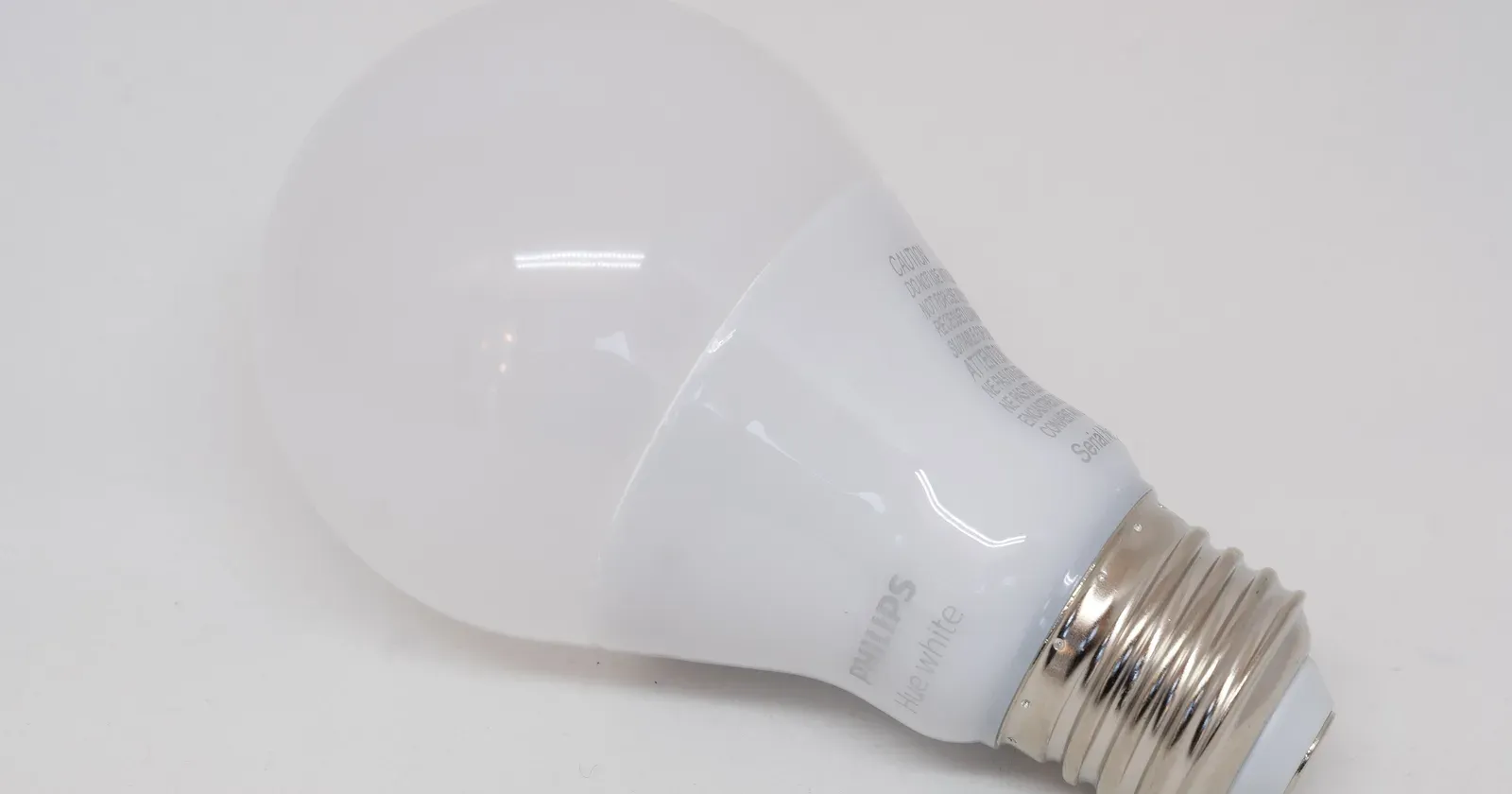
Photo: “Philips Hue white bulb - June 2018 (1944)”, Gregory Varnum, Wikimedia Commons, licence CC BY-SA 4.0 (cropped and converted).
Frequently asked questions (FAQ)
Can you put a smart bulb on a regular wall dimmer in Canada?
No, avoid it. A traditional dimmer chops the power, while a smart bulb needs a steady supply for its radio and electronics. You can get flicker, buzzing, dropped connections or a bulb that shuts off. Leave the dimmer at full, or replace it with an ordinary switch or a smart switch in decoupled mode.
What is the difference between Zigbee, Thread and Wi-Fi Matter bulbs?
Zigbee and Thread are low-power mesh networks: every always-powered bulb relays messages for the others. Zigbee needs a coordinator (Hue Bridge, USB stick, Zigbee hub), Thread needs a border router (HomePod mini, Apple TV 4K, recent Echo). Wi-Fi Matter needs no hub, but each bulb takes an IP address and some bandwidth on your router.
Do you need a Philips Hue Bridge to connect Hue bulbs to Home Assistant?
No, it is not mandatory. Hue bulbs are Zigbee devices, so you can pair them straight to a Zigbee stick in Home Assistant (ZHA or Zigbee2MQTT). The Hue Bridge is still convenient: it adds Hue scenes, firmware updates and reliable local control for the whole house. Bluetooth alone only works for a few bulbs over short distances.
Do smart bulbs use much electricity when turned off in the app?
Very little. In standby their radio stays on and they typically draw about 0.2 to 0.5 W depending on the model, under 4 kWh per year per bulb. With 10 bulbs, that is a few dollars a year at Hydro-Québec residential rates. That standby draw is the price of instant response.