Amazon Echo Comparison 2026: Which Model to Buy in Canada
Quick verdict
- Best all-rounder: Echo Dot Max. The cheapest Echo with a built-in Zigbee, Thread and Matter hub, plus good sound for a medium-sized room.
- Best audio and screenless hub: Echo (spherical model). For the living room or an open-plan space, with real bass.
- Kitchen: Echo Show 8. Recipes, timers, grocery lists and a live Ring doorbell feed.
- Entrance or hallway: Echo Hub. An 8-inch wall panel to control everything with a tap, with no camera.
- Bedroom: Echo Spot. A smart alarm clock with no camera.
- Small budget or small room: Echo Pop. Compact, but with no Zigbee or Thread hub.
All of them work in Canadian French and English and are sold on Amazon.ca. Routines, timers and device control are free: no subscription is required.
Quick comparison table
| Criteria | Echo Pop | Echo Dot Max | Echo (spherical) | Echo Spot | Echo Show 8 | Echo Hub |
|---|---|---|---|---|---|---|
| Format | Compact speaker | Speaker | Speaker | Alarm clock with screen | Smart display | Wall panel |
| Audio quality | Decent, limited bass | Good | Very good, deep bass | Decent | Good | Weak, built for announcements |
| Built-in hub (Zigbee / Thread / Matter) | Matter only, no Zigbee or Thread | Zigbee, Thread and Matter | Zigbee, Thread and Matter | Matter only (check the listing) | Zigbee, Thread and Matter | Zigbee, Thread, Matter, Bluetooth and Wi-Fi |
| Built-in sensors | No | Temperature | Temperature | No (check the listing) | Temperature and motion, depending on the model | No |
| Camera (privacy) | No | No | No | No | Yes, with a shutter | No |
| Ideal room | Office, bathroom, small bedroom | Living room, bedroom, office | Living room, open-plan space | Nightstand | Kitchen | Entrance, hallway |
| Price in Canada (CAD) | Around $40 – $70 | Around $90 – $170 | Around $150 – $280 | Around $70 – $155 | Around $120 – $220 | Around $170 – $240 |
Specifications come from Amazon’s listings and the specialist press, and vary by generation and batch. Prices are approximate ranges, often discounted around Black Friday: check today’s price with the “Check the price on Amazon.ca” button.
1. Echo Pop: the small room at a small price
A compact half-sphere that fits on a nightstand, a desk or a bathroom ledge. It’s enough for timers, the weather, voice commands and background music.
Amazon Echo Pop
Pros
- The cheapest in the lineup, on Amazon.ca
- Discreet format for a small room
- Alexa in Canadian French and English, timers and routines with no subscription
- No camera
Cons
- Limited bass: disappointing in a large living room
- No built-in Zigbee or Thread hub (Wi-Fi and Matter only)
- No temperature sensor
Approximate budget: around $40 – $70.
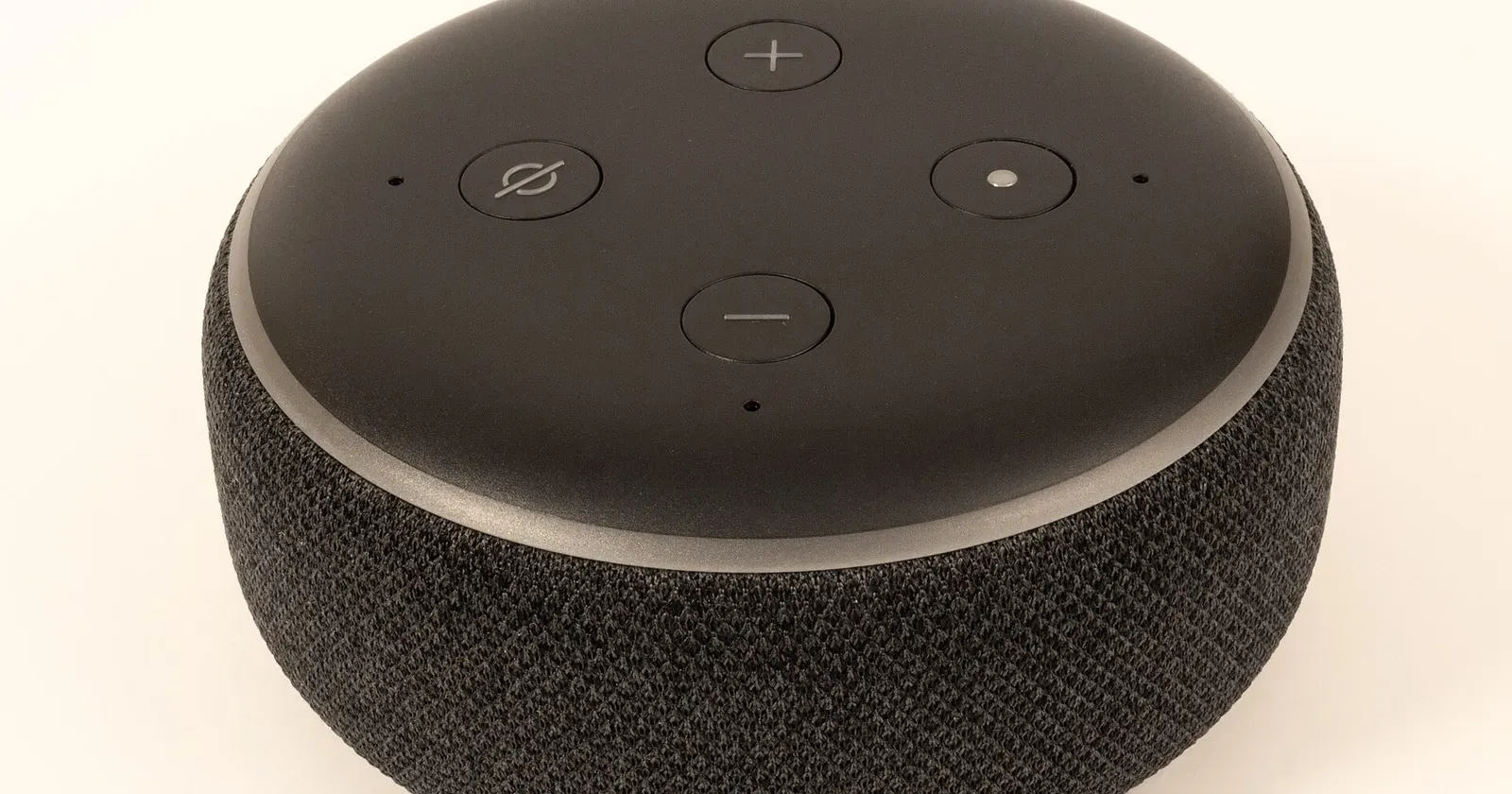
2. Echo Dot Max: the best value
The pick for most households. The sound is noticeably richer than a standard Dot’s, a built-in temperature sensor lets you automate a fan or a space heater, and the Zigbee, Thread and Matter hub saves you from buying a bridge. It also works as a Wi-Fi extender for an eero network. The standard Echo Dot (without “Max”) keeps the temperature sensor but not the Zigbee hub: check the name on the listing carefully.
Amazon Echo Dot Max
Pros
- Built-in Zigbee, Thread and Matter hub: no extra bridge
- Temperature sensor for heating or ventilation routines
- Richer sound than the standard Dot
- Wi-Fi extender for an eero network
- No camera
Cons
- Doesn't replace a real hi-fi speaker for demanding audiophiles
- Costs more than the Echo Pop and the standard Echo Dot
- The hub relies on Amazon's cloud for some Alexa features
Approximate budget: around $90 – $170.
3. Amazon Echo (spherical): the screenless audio and smart home champion
For the living room or an open-plan space, it’s the only speaker-style Echo that really plays loud: adaptive sound, deep bass and a Zigbee, Matter and Thread hub that can control bulbs, locks and sensors. It’s the right choice if the Echo doubles as your stereo.
Amazon Echo (spherical model with built-in hub)
Pros
- Powerful sound with real bass
- Built-in Zigbee, Matter and Thread hub
- Built-in temperature sensor
- No camera: privacy-friendly
Cons
- Bulkier on a counter or shelf
- No screen: you can't view cameras
- Costs more than the Dot Max for similar smart home features
Approximate budget: around $150 – $280.
4. Echo Spot: the nightstand with no camera
A smart alarm clock with a small round screen. It shows the time, the local weather and the music playing, and you tap it to turn the bedroom lights on or off. Above all: no camera, which makes it the right choice for a bedroom.
Amazon Echo Spot (smart alarm clock)
Pros
- No built-in camera: a real privacy plus
- Time, weather and music readable at a glance
- Quick touch control of the bedroom lights
- Alarms and wake-up routines with no subscription
Cons
- Screen too small for videos or a security camera feed
- No built-in Zigbee or Thread hub (check the listing of the model sold)
- Decent audio, nothing more
Approximate budget: around $70 – $155.
5. Echo Show 8: the kitchen screen
The 8-inch HD touchscreen shows recipes, grocery lists, video calls and the live feed from your Ring doorbells or Blink cameras. It also includes a smart home hub. If you want a bigger screen or one that rotates, look at the Echo Show 10.
Amazon Echo Show 8
Pros
- 8-inch HD touchscreen: recipes, timers and lists
- Live feed from Ring doorbells and Blink cameras
- Built-in smart home hub (Zigbee, Matter and Thread)
- Video calls with a camera shutter
Cons
- Takes more counter space
- The interface sometimes shows content suggestions, which you can turn off in the settings
- Built-in camera: avoid it in a bedroom
Approximate budget: around $120 – $220.
6. Echo Hub: the smart home dashboard
Designed to be mounted on the wall or set on a stand in the entrance, it shows customizable widgets: lights, locks, thermostats and live cameras. It’s a complete hub (Zigbee, Thread, Matter, Bluetooth and Wi-Fi), and works with Power over Ethernet (PoE) through an adapter, so you don’t need an outlet behind the screen.
Amazon Echo Hub (8-inch wall panel)
Pros
- Complete hub: Zigbee, Thread, Matter, Bluetooth and Wi-Fi
- Customizable widget interface: lights, locks, thermostats and cameras
- PoE power possible with an adapter
- No camera: privacy-friendly
Cons
- Speaker built for voice announcements, not for listening to music
- No camera: you can't make video calls on it
- The PoE adapter adds to the price
Approximate budget: around $170 – $240.
Which Echo should you choose for each room of your Quebec home?
| Room | Our pick | Why |
|---|---|---|
| Entrance / hallway | Echo Hub | A wall panel for lights, locks and cameras as you pass |
| Kitchen | Echo Show 8 | Recipes, timers and the Ring doorbell feed |
| Living room / open-plan space | Echo or Echo Dot Max | The best sound, or the best price with the built-in hub |
| Bedroom | Echo Spot (no camera) | A smart alarm clock, with no camera in the room |
| Basement / office | Echo Pop | Small, discreet and affordable |
A practical tip: one hub per home is enough to start. An Echo Dot Max in the middle of the main floor and an Echo Pop in the basement cost less than three screens, and already cover almost every use.
Understanding built-in hubs: Zigbee, Matter, Thread and eero
A hub is the device that talks to bulbs, locks and sensors using their own radio. You used to have to buy the manufacturer’s bridge (the Philips Hue Bridge, for example). A recent Echo replaces that bridge.
Zigbee. An Echo Dot Max, an Echo, an Echo Show 8 or an Echo Hub can pair Philips Hue bulbs, door sensors or Zigbee locks directly. Say “Alexa, discover my devices” after putting the device in pairing mode. You do lose some advanced features of the manufacturer’s app, such as Hue’s dynamic effects.
Matter and Thread. Matter is the common language between brands. Thread is a low-power mesh network, which the Echo handles as a border router: a Thread sensor talks to the Echo even if the Wi-Fi is down. See our guide to Zigbee, Thread, Matter or Wi-Fi to pick your sensors.
eero. Some Echo models also act as a Wi-Fi extender for an eero network, and a recent eero has its own Zigbee and Thread radios. This only matters if you already have an eero network: otherwise, ignore this feature.
Living with Home Assistant. An Echo doesn’t stop you from using Home Assistant. There are two approaches: expose your Home Assistant devices to Alexa to control them by voice, or keep the Echo as the voice interface and dashboard and Home Assistant as the local brain. For fully local control, a Zigbee dongle plugged into Home Assistant remains more independent of the cloud than an Echo. See our guide to installing Home Assistant and our comparison of Alexa, Google Home, Apple Home and Home Assistant.
To set up your first Echo in five steps, follow our Alexa setup tutorial.
No subscription: what’s really free
- Free: Alexa in Canadian French and English, routines, timers, alarms, room groups, control of your smart home devices and calls between Echo devices.
- Depends on Prime or another subscription: Prime Video, some music offers and, depending on current terms, some Alexa+ features. Check the terms on Amazon.ca.
- Not free, but separate: a Ring doorbell’s video history, which comes from a Ring subscription, not from an Echo.
Which Echo should you choose?
- You want one versatile device with the built-in hub: Echo Dot Max.
- You want real music in the living room: Echo (spherical).
- You want to see the doorbell and the recipes: Echo Show 8.
- You want to control the house from the entrance: Echo Hub.
- You want a camera-free bedroom: Echo Spot.
- You want to spend as little as possible: Echo Pop.
Frequently asked questions (FAQ)
Which Amazon Echo has a built-in Zigbee and Thread hub, with no extra bridge?
The Echo Dot Max, the recent spherical Echo, the Echo Show 8 and the Echo Hub advertise a built-in smart home hub. They can pair Zigbee bulbs, sensors and locks directly, along with Matter and Thread devices, without the manufacturer's bridge. The Echo Pop and the Echo Spot have no Zigbee or Thread radio. Check the listing for the exact model sold on Amazon.ca before buying, since earlier generations don't all have these radios.
Which Echo should I pick for a bedroom with no camera, to protect my privacy?
The Echo Spot is the natural choice: it's a smart alarm clock with a small screen and no built-in camera. It shows the time, weather and music, and lets you control the bedroom lights by touch. If you only want voice, the Echo Pop or the Echo Dot Max also work, since those speakers have no camera at all. In every case, the physical microphone button lets you turn the mics off.
Do I need an Amazon Prime subscription to use an Echo speaker or display?
No. A free Amazon account is enough to set up an Echo and use Alexa, routines, timers and control of your smart home devices. Prime only covers extra services, such as Prime Video or Amazon Music Prime. Alexa+ features may depend on a Prime subscription depending on current terms: check them on Amazon.ca.
Can I pair two Echo speakers in stereo or across several rooms in Canada?
Yes. In the Alexa app you can create a speaker group to play the same music in several rooms, or pair two identical speakers as a stereo pair. Stereo pairing usually requires two devices of the same model, and some models, including the displays, don't support it. Check the list of compatible devices in the app before buying a second speaker.