Best Smartwatch for Smart Home Control in Canada (2026)
Quick verdict: the golden rule
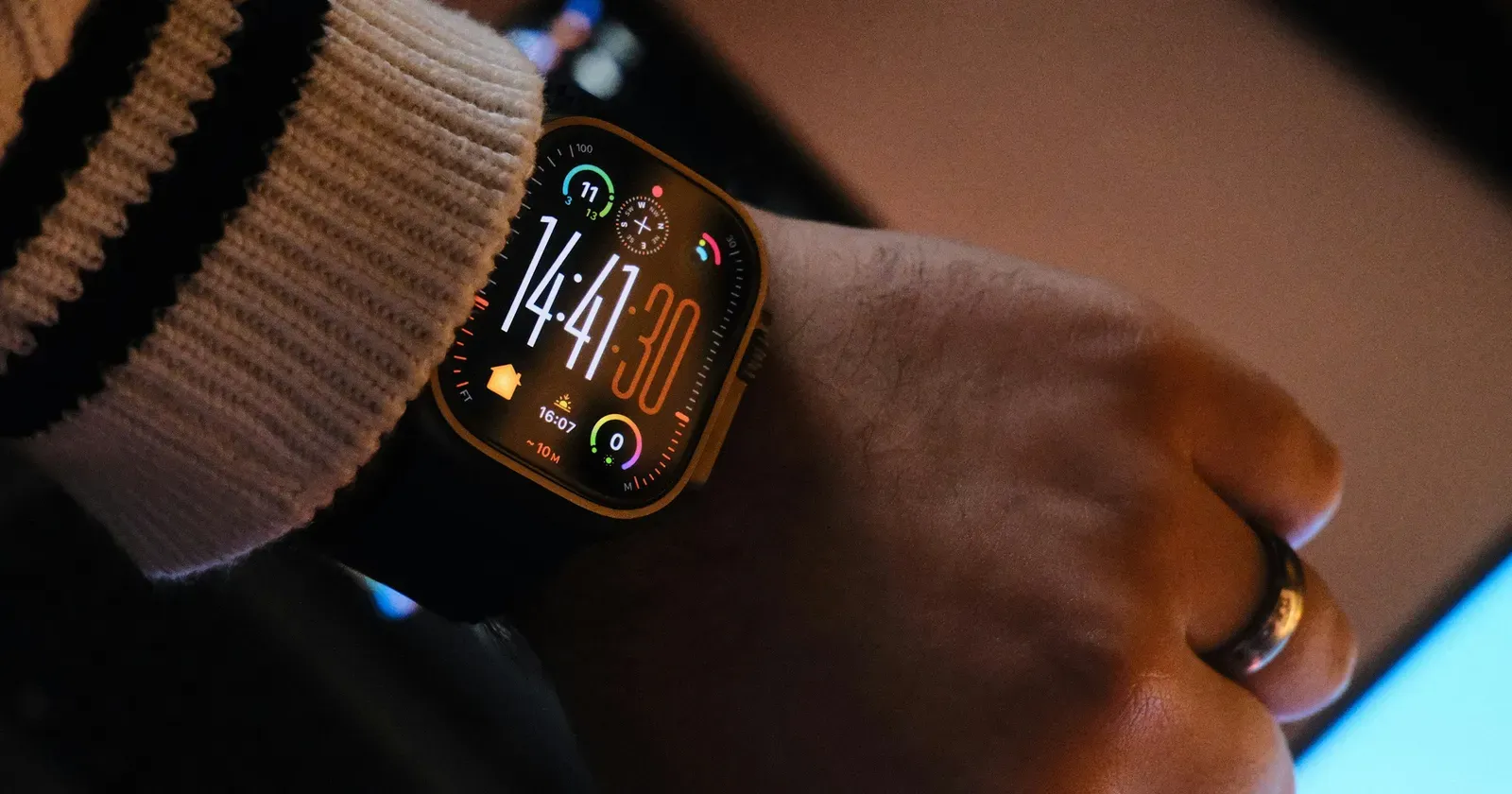
A watch doesn’t replace your smart home hub. It adds two things: quick control (a door, a scene, a thermostat) and alerts that buzz on your wrist, even when your phone stayed in your coat. In Canada, that matters most in winter, when pulling out your phone with gloves on is a pain.
The distinction that changes everything: some watches run apps (Apple Watch, Galaxy Watch, Pixel Watch) and can control the house; others (Amazfit, Huawei) only receive notifications from the phone, with much better battery life.
- iPhone and Apple Home: Apple Watch Series 10 (or Ultra 2). Quick shortcuts, Home Key with compatible locks. Its weak point: battery life on the order of a day.
- Android and SmartThings: Samsung Galaxy Watch 7 (or Watch Ultra). Customizable tiles, full sensors. Its weak point: several features require a Samsung phone.
- Google Home: Google Pixel Watch 5. The smoothest integration with Google Home. Its weak point: a day and a half of battery at best, and Android only.
- Small budget, long battery life: Amazfit Bip 6. Reliable alerts and about two weeks of advertised battery life. Its weak point: no direct home control.
- Light, affordable band: Huawei Band 10. Ideal for alerts. Its weak point: availability, and its app sits outside the usual Android stores.
None of these devices requires a subscription for smart home use.
Quick comparison
| Model | iOS / Android | Real-world battery | Smart home | Water / cold | Subscription | Approximate price |
|---|---|---|---|---|---|---|
| Apple Watch Series 10 (or Ultra 2) | iPhone only | About 1 to 2 days (Ultra: more) | Direct control (Apple Home, shortcuts, Home Assistant) | Water resistant; wider temperature range on the Ultra | None | Around $500 – $700 (Ultra: more) |
| Samsung Galaxy Watch 7 (or Watch Ultra) | Android | About 1.5 to 2 days | Direct control (SmartThings, Home Assistant on Wear OS) | 5 ATM water resistant; check cold rating | None | Around $350 – $550 |
| Google Pixel Watch 5 | Android | About 1.5 days (30 to 40 h advertised) | Direct control (Google Home, Home Assistant on Wear OS) | IP68 water resistant; check cold rating | None (optional Premium health subscription) | Around $550 – $720 |
| Amazfit Bip 6 | iOS and Android | Up to about 14 days advertised | Notifications and alerts | 5 ATM water resistant; check cold rating | None (Zepp Aura optional) | Around $100 – $170 |
| Huawei Band 10 | iOS and Android | Up to about 14 days advertised | Notifications and alerts | Water resistant; check cold rating | None | Around $60 – $100 |
Ranges are approximate (CAD) and battery lives come from the manufacturers: check them on Amazon.ca before buying. Real battery life depends on use and drops in deep cold.
The criteria that matter to a smart home fan
Direct control or simple alerts. A watch running watchOS or Wear OS runs the Home Assistant app or your ecosystem’s: you tap a tile and the door opens. A band doesn’t run those apps: it displays notifications forwarded by the phone. For a critical alert, that’s enough; for control, it isn’t.
Real battery life, especially in winter. Watches with rich displays last one to two days; bands last weeks. Cold cuts those figures further. If you forget to charge, a dead watch won’t alert you to anything: long battery life is an asset for security alerts.
The lock and the garage door. To unlock with the watch, check the lock’s compatibility with the ecosystem (Apple’s Home Key, for example, relies on NFC) and its availability in Canada. For the garage door, you need a compatible controller wired to the opener.
Water and cold. A water-resistance rating (5 ATM, for example) isn’t a guarantee against cold. Read the manufacturer’s operating temperature range and favour models designed for outdoor use if you walk or ski in winter.
The phone ecosystem. An Apple Watch requires an iPhone; a Galaxy Watch or a Pixel Watch require Android. Choose the watch that follows your phone, not the other way around.
Certification and availability. Models sold on Amazon.ca are intended for the Canadian market. Availability and warranty vary by seller, especially for less widespread brands.
The 5 watches and bands in detail
Apple Watch Series 10 (or Ultra 2)
Apple Watch Series 10 (or Ultra 2)
Pros
- Siri shortcuts and Apple Home controls that are quick and very smooth
- Home Key with compatible locks to unlock without taking out your phone
- Bright display, readable in full sun on snow
- The Ultra 2 offers a sturdier case and a wider temperature range
Cons
- Only works with an iPhone
- Battery life of about a day for the Series 10; drops in winter
- High price, especially for the Ultra 2
- Home Key-compatible locks are few in Canada: check before you buy
Samsung Galaxy Watch 7 (or Galaxy Watch Ultra)
Samsung Galaxy Watch 7 (or Galaxy Watch Ultra)
Pros
- Customizable tiles to launch SmartThings or Home Assistant in one gesture
- Full health sensors and dual-frequency GPS
- Wear OS: the Home Assistant app runs directly on the watch
- More choice of bands and sizes than at Google
Cons
- Several features require a Samsung phone
- Android only, no iPhone
- Battery life of about a day and a half to two days: needs regular charging
- Cold and water resistance are to be checked on the model's spec sheet
Google Pixel Watch 5
Google Pixel Watch 5
Pros
- Natural integration with Google Home and Wear OS
- Direct control of devices like thermostats from the wrist
- Compact format and bright display
- Advertised battery life of 30 to 40 h depending on size, with the always-on display
- Home Assistant available on Wear OS
Cons
- Android only
- Short battery life: a charge every one to two days, and less in deep cold
- Several health features go through the Google Health app, with an optional Premium subscription
- Controlling cameras from the wrist depends on the devices and the version: to be tested
Amazfit Bip 6
Amazfit Bip 6
Pros
- Large AMOLED display and advertised battery life of about 14 days
- Bluetooth calls and voice commands (Zepp Flow)
- Reliable smart home alert notifications without breaking the bank
- Works with iPhone and Android
Cons
- No direct home control: it receives the phone's notifications
- Zepp Aura (health and sleep services) is optional and paid
- Zepp app and account required, with data transferred to the manufacturer
- Cold performance and sensor accuracy are less documented than with the big brands
HUAWEI Band 10
HUAWEI Band 10
Pros
- Ultra-light, advertised battery life of up to 14 days and fast charging
- Sleep tracking and instant home alerts on your wrist
- Works with iPhone and Android
- Very accessible price
Cons
- The Huawei Health app isn't always in Android's usual store: installation takes an extra step
- No direct home control: notifications only
- Availability and warranty in Canada often come through third-party sellers: check the seller
- Closed ecosystem, with data tied to the manufacturer's account and cloud
3 ultra-practical smart home uses on your wrist
These uses assume a hub like Home Assistant or your ecosystem’s app. To set up a first hub quickly, see our $300 starter kit.
1. Coming in with your arms full of groceries, in winter. With a compatible lock, you unlock it from the watch without taking your phone out of your coat. For the garage door, a tile or a shortcut sends the command to your controller. Require a confirmation or authentication on the watch so an accidental touch doesn’t open the door.
2. Launch the “Goodnight” scene. A single gesture turns off the lights, locks the doors and lowers the thermostats. Create the scene once in Apple Home, Google Home or Home Assistant, then add it as a tile or shortcut on the watch.
3. Get a water leak alert in the basement. This is the use where a watch is worth the most. A buzzing alert wakes you and warns you before the water reaches the walls. Here’s the critical notification from the Home Assistant app:
alias: Water leak alert
trigger:
  - platform: state
    entity_id: binary_sensor.fuite_sous_sol
    to: "on"
action:
  - service: notify.mobile_app_mon_telephone
    data:
      title: "Water leak in the basement"
      message: "Water has been detected. Check now."
      data:
        ttl: 0
        priority: high
        push:
          sound:
            name: default
            critical: 1
            volume: 1.0
Then test the full path: on an iPhone, the notification only shows up on the Apple Watch when the phone is locked, so check the behaviour with your own setup. To choose the detectors, read our comparison of water leak detectors.
Which model for your situation
- You have an iPhone and Apple Home: Apple Watch Series 10; the Ultra 2 if you do outdoor activities in winter.
- You have an Android and Home Assistant: Galaxy Watch 7 for its customization, Pixel Watch 5 if you’re in Google Home.
- You mostly want the alerts, without charging every night: Amazfit Bip 6.
- Minimal budget and you need a light band: Huawei Band 10, checking the seller and the app.
Frequently asked questions (FAQ)
Do I need a paid subscription (Google Premium, Zepp Aura) to use these watches with a smart home?
No. Home control and receiving alerts work without a subscription on all five models. Google's Premium health subscription (Pixel Watch) and Zepp Aura (Amazfit) are optional services focused on health and sleep. On the Apple Watch, some offerings like Fitness+ are optional too. An LTE model does need a cellular plan if you want to use it without your phone.
Which watch handles the deep Canadian cold best?
Check the temperature range on the spec sheet: Apple, for example, lists a wider range for the Ultra than for the Series 10. In deep cold, the screen responds more slowly and battery life drops, because lithium batteries drain faster below zero. Wear the watch under your sleeve, keep it charged before heading outside, and test gloves and the touchscreen before winter.
What's the difference between a Wear OS or watchOS watch and a band like the Huawei Band 10 for Home Assistant?
A Wear OS or watchOS watch runs the Home Assistant app: you can open tiles or shortcuts and control the house directly. A band like the Huawei Band 10 or an Amazfit watch doesn't run the app: it only receives the notifications forwarded by the phone, which is enough for a water leak alert but not for controlling a light.
Does a watch work with any phone, iPhone or Android?
Not for the big platforms' watches. The Apple Watch requires an iPhone. The Galaxy Watch and the Pixel Watch require an Android phone, with some features reserved for phones of the same brand. The Amazfit Bip 6 and the Huawei Band 10 work with iOS and Android, but with a dedicated app on the phone.