Best Smart Radon Detector in Canada With No Subscription
Quick verdict
- Most complete: Airthings View Plus. Radon, fine particles, CO₂, VOCs, humidity and temperature, e-ink display, Wi-Fi. It goes through Airthings’ cloud.
- Best local Bluetooth: Airthings Corentium Home 2. Battery-powered, read directly by Home Assistant, no Internet once set up.
- Fastest to a first reading: Ecosense EcoQube (EQ100). 2.4 GHz Wi-Fi only, with a community Home Assistant integration.
- Local Bluetooth with air quality: Airthings Wave Plus. Radon, CO₂, VOCs, humidity, temperature and pressure, battery-powered, readable directly in Home Assistant.
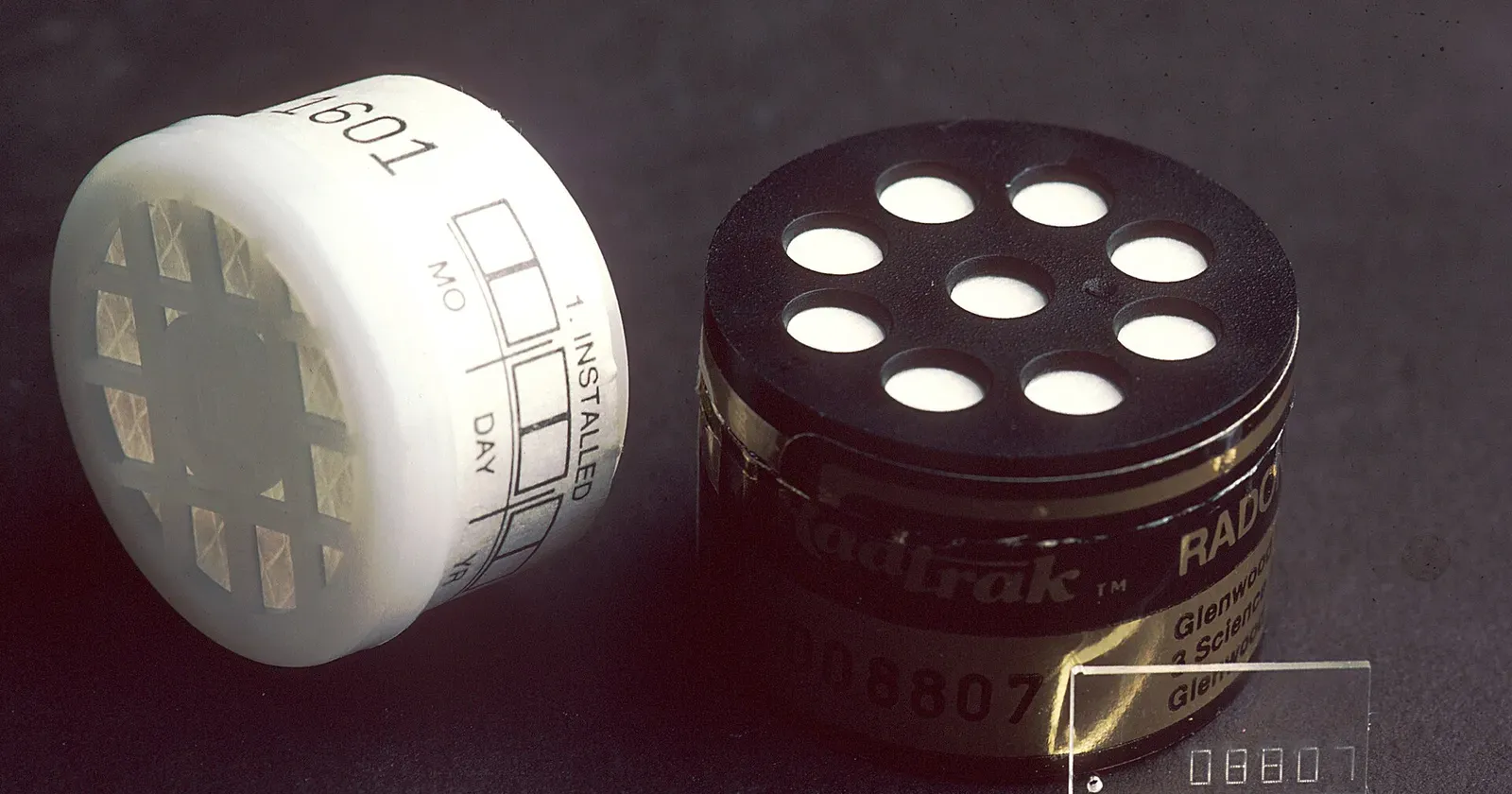
An important warning. An electronic monitor gives you a trend, not a diagnosis. To decide what to do, Health Canada recommends a long-term measurement of at least three months with a device that has passed C-NRPP testing. Check the program’s list (c-nrpp.ca): we haven’t confirmed that every model below appears on it.
Radon in 2 minutes
Radon is a naturally occurring radioactive gas that rises from the ground and seeps in through the foundation. It’s the second leading cause of lung cancer in Canada, after smoking. You can’t see it or smell it: only a measurement reveals it.
The unit and the threshold. In Canada, we measure in becquerels per cubic metre (Bq/m³). Health Canada’s guideline is 200 Bq/m³. The United States uses pCi/L (1 pCi/L is about 37 Bq/m³), so be careful with figures you find on American sites.
Why a 48-hour test isn’t enough. Radon varies from day to day with barometric pressure, wind and weather. In much of Canada it often climbs in winter: windows shut, heating creating a stack effect, and frozen ground sealing the soil. Health Canada recommends a measurement of at least 3 months, ideally in fall or winter. A continuous detector shows you these swings all the time.
Where to place the device.
- On the lowest level where you spend time (finished basement, basement bedroom).
- At least 50 cm off the floor, on a shelf or table.
- Away from windows, doors, vents and exterior walls.
- Not in a bathroom, a damp laundry room or near an open sump pit.
Quick comparison table
| Criteria | Airthings View Plus | Corentium Home 2 | Ecosense EcoQube EQ100 | Airthings Wave Plus |
|---|---|---|---|---|
| Connectivity | Wi-Fi (Bluetooth for setup) | Bluetooth | 2.4 GHz Wi-Fi | Bluetooth |
| Home Assistant | Airthings integration, via the cloud | Bluetooth integration, local (adapter or proxy) | Community (HACS), via the cloud | Bluetooth integration, local (adapter or proxy) |
| Power | 6 AA batteries (up to about 2 years) or USB-C | 2 AA batteries | Plug (USB) | 2 AA batteries |
| First reading | About 1 day, more reliable after a few days (estimate) | About 1 day, more reliable after a few days (estimate) | About 10 min (reliable after about 1 h, according to Ecosense) | About 1 day, more reliable after a few days (estimate) |
| Other sensors | PM2.5, CO₂, VOCs, humidity, temperature | Radon only | Radon only | CO₂, VOCs, humidity, temperature, pressure |
| Subscription | No | No | No | No |
Specs come from the manufacturers and can vary by version. Check the listing on Amazon.ca. “First reading” times are manufacturer estimates: the number that matters is the average over weeks.
1. Airthings View Plus: the most complete
An always-readable e-ink display, and a single device for radon and general air quality: fine particles (PM2.5), CO₂, volatile organic compounds, humidity and temperature. It plugs in over USB-C or runs on batteries for nearly 2 years, according to Airthings. Plugged in, it can also act as a bridge for other Airthings sensors.
In Home Assistant, it goes through the Airthings integration and the company’s cloud: it isn’t purely local. Radon readings appear in Bq/m³.
Airthings View Plus
Pros
- Radon, PM2.5, CO₂, VOCs, humidity and temperature in one device
- Always-readable e-ink display
- Batteries last nearly 2 years, or power it over USB-C
- Reliable Home Assistant integration, no subscription
Cons
- Data goes through Airthings' cloud: no direct local reading
- Noticeably pricier than radon-only detectors
- Bluetooth is for setup only, readings then travel over Wi-Fi
- Radon detection takes time to stabilize, like all detectors of this type
Approximate budget: around $330 – $450.
2. Airthings Corentium Home 2: local Bluetooth
A battery-powered radon detector, with no subscription, that you read with Airthings’ free app or directly in Home Assistant. Home Assistant’s Bluetooth integration supports it, without going through the cloud.
Two details worth knowing: the device has to be in Bluetooth mode (not SmartLink), and the connection sometimes drops if the Mini PC is far away. An ESP32 Bluetooth proxy placed near the detector fixes that. After setup, check that the radon value actually reaches Home Assistant, not just the battery level.
Airthings Corentium Home 2
Pros
- Runs on 2 AA batteries, no outlet and no subscription
- Local reading in Home Assistant over Bluetooth, with no Internet dependence
- Free mobile app
- Well-regarded accuracy from the Corentium line
Cons
- Radon only: no CO₂, particles or humidity
- Bluetooth has short range: a proxy is sometimes needed in the basement
- Must be in Bluetooth mode for Home Assistant
- The measurement needs time to be representative
Approximate budget: around $200 – $280.
3. Ecosense EcoQube (EQ100): the quick reading
A very sensitive sensor: according to Ecosense, a first reading arrives in about 10 minutes, and a reliable value after about an hour. A light on the front shows the level at a glance.
What to know about connectivity. It runs on 2.4 GHz Wi-Fi only and depends on Ecosense’s cloud. There’s no official Home Assistant integration: community projects exist (HACS), with no long-term guarantee. Don’t confuse it with the EcoQube Flex, a different model that’s battery-powered and uses Bluetooth.
Ecosense EcoQube (EQ100)
Pros
- First reading in about 10 minutes, reliable value after about an hour (according to Ecosense)
- Indicator light that's easy to read at a glance
- No subscription, free app
Cons
- 2.4 GHz Wi-Fi only: it won't connect to a 5 GHz network
- No official Home Assistant integration: community projects only
- Depends on Ecosense's cloud for viewing
- Radon only, and plug-powered
Approximate budget: around $200 – $270.
4. Airthings Wave Plus: local Bluetooth with air quality
A battery-powered monitor that measures radon, but also CO₂, volatile organic compounds (VOCs), humidity, temperature and pressure. It has no display: you read it in Airthings’ free app or in Home Assistant, over Bluetooth. A light, activated by waving your hand over the device, gives a quick view of the radon level.
It’s a good choice if you want a second sensor upstairs or in the basement that does more than radon, without going through the cloud. Like the Corentium, it can drop out when the Mini PC is far away: an ESP32 Bluetooth proxy solves the problem. It doesn’t measure fine particles (PM2.5), unlike the View Plus.
AIRTHINGS Wave Plus Monitor
Pros
- Radon, CO₂, VOCs, humidity, temperature and pressure in one device
- Battery-powered, no outlet, no subscription
- Local reading in Home Assistant over Bluetooth, with no Internet dependence
- Free mobile app
Cons
- No display: you need the app or Home Assistant to read the values
- No fine particle (PM2.5) measurement
- Bluetooth has short range: a proxy is sometimes needed in the basement
- Radon takes several days to stabilize, like all detectors of this type
Approximate budget: around $250 – $330.
Automate your air exchanger (HRV) when radon rises
The idea: when radon passes a threshold, Home Assistant puts the HRV (heat recovery ventilator, or air exchanger) on high speed and sends you a notification. This is a comfort and monitoring measure, not a radon treatment: see the warning below.
What you need.
- A detector whose value reaches Home Assistant (Airthings View Plus or Corentium Home 2, for example). If you don’t have a server yet, see our guide to installing Home Assistant on a Mini PC.
- A dry-contact smart relay, such as a Shelly 1 Gen4 UL (or Shelly Wave 1 Mini), wired to your HRV’s “high speed” (boost) input. That input is a simple low-voltage contact, like the one on a wall control: check your HRV’s manual to find it, or follow our complete tutorial to automate your HRV air exchanger with Home Assistant.
Installation.
- Cut power to the HRV and the relay. If you’re not comfortable, ask an electrician: the relay has to be powered correctly and carry cUL or CSA certification.
- Wire the relay’s output terminals in parallel with the HRV’s high-speed control, as if someone were pressing the button.
- Add the Shelly to Home Assistant, then create the automation below.
Example automation (replace the entity names with your own):
automation:
  - alias: "HRV on high if radon is elevated"
    trigger:
      - platform: numeric_state
        entity_id: sensor.detecteur_radon_sous_sol
        above: 150
        for: "00:30:00"
    action:
      - service: switch.turn_on
        target:
          entity_id: switch.vrc_vitesse_rapide
      - service: notify.mobile_app_mon_telephone
        data:
          message: "Elevated radon in the basement: HRV on high speed."
  - alias: "HRV back to normal when radon drops"
    trigger:
      - platform: numeric_state
        entity_id: sensor.detecteur_radon_sous_sol
        below: 100
        for: "02:00:00"
    action:
      - service: switch.turn_off
        target:
          entity_id: switch.vrc_vitesse_rapide
The two different thresholds (150 to start, 100 to stop) keep the HRV from switching on and off constantly. The delay stops a single reading from triggering everything. To get the alert on your wrist, see our guide to smartwatches for the smart home.
An honest warning. Increasing ventilation can lower radon somewhat, but an HRV is not a mitigation solution. If your average is above 200 Bq/m³, Health Canada recommends taking action and calling a C-NRPP certified professional, usually with sub-slab depressurization. An unbalanced HRV can also draw in more soil air. The 100 and 150 Bq/m³ thresholds in this example are comfort thresholds, not safety limits.
What an air purifier doesn’t fix
A smart air purifier filters particles, but it doesn’t remove radon, which is a gas. Only measurement, followed by reduction at the source, solves it. To check whether your air exchanger renews the air enough in winter, a CO₂ monitor is the simplest tool: see our guide to choosing a CO₂ monitor.
Which detector should you choose?
- One device, full air quality: Airthings View Plus.
- Radon only, local reading in Home Assistant: Airthings Corentium Home 2.
- Quick result: Ecosense EcoQube EQ100, accepting the cloud and 2.4 GHz Wi-Fi.
- Second level, local Bluetooth and air quality: Airthings Wave Plus.
- In every case: confirm with a test of 3 months or more, and check the C-NRPP list.
Frequently asked questions (FAQ)
What is the acceptable radon limit in Canada according to Health Canada?
The Canadian guideline is 200 Bq/m³, measured as a long-term average. Above that level, Health Canada recommends taking action to reduce radon, ideally with a C-NRPP certified professional. Below 200 Bq/m³ the risk is lower but not zero: the lowest level you can reasonably reach is still better. Canada uses Bq/m³, not the pCi/L used in the United States.
Why do the numbers on my detector change every day?
That's normal. Radon varies with barometric pressure, wind, temperature, open windows and heating. It's higher in winter, when the house is closed up. A single reading means nothing: the average over several weeks or months is what counts. A continuous detector shows these swings, which a one-off 48-hour test can't.
Do I need a monthly subscription for Airthings or EcoQube?
No, none of the detectors in this article requires a subscription. You pay for the device, then use the manufacturer's free app. Wi-Fi models do send their data to the manufacturer's cloud, though: if the service shuts down, remote viewing suffers. Local Bluetooth is more independent.
Can I connect a Bluetooth detector to Home Assistant without going through my phone?
Yes. Home Assistant reads compatible Airthings Bluetooth sensors directly through its own Bluetooth adapter or an ESP32 Bluetooth proxy placed near the device. The phone is only needed for the initial setup. If the connection drops, move a proxy closer to the detector, often in the basement. The device also has to be in Bluetooth mode.