Best Smart Lock for Canadian Winters With No Subscription
The wrong smart lock turns into a headache fast on a -25 °C January morning: dead batteries overnight, a motor stalling against a frost-shifted door frame, or an app that refuses to respond when your Internet drops.
The five models below work with zero monthly subscription, are sold on Amazon.ca and integrate into a local smart home (Home Assistant, Apple Home, Zigbee, Thread or Z-Wave). We focused on hardware rated for real Canadian cold and laid out the honest weak points of each model.
Quick verdict: which one to pick in Canada
- Best overall balance for cold and local control: Aqara Smart Lock U100. Rated down to -35 °C, Zigbee 3.0, fingerprint reader, Apple Home Key and physical key. Its weak point: Matter requires an Aqara hub, and direct pairing into Zigbee2MQTT or ZHA is limited compared to using a hub or HomeKit.
- Toughest mechanical build: Schlage Encode Plus. ANSI/BHMA Grade 1 deadbolt, exterior rated to -35 °C, local Thread with Apple Home Key. Its weak point: high price, and local Home Assistant integration relies on HomeKit over Thread rather than native Matter.
- Most flexible across protocols: Yale Assure Lock 2. Swappable radio modules (Matter over Thread, Z-Wave or Wi-Fi), exterior rated to -30 °C, 9 V emergency terminals. Its weak point: adding the right module pushes up the price, and key-free variants leave you relying on a 9 V battery if it dies.
- Best pure Home Assistant pick on Z-Wave: Kwikset HomeConnect 620. Exterior rated down to -40 °C, 100% local Z-Wave Plus S2 with Z-Wave JS, SmartKey re-keying. Its weak point: no Wi-Fi or Apple Home Key, and a Z-Wave USB stick is mandatory.
- Best choice for renters and condos: SwitchBot Lock Pro. Fits on the inside over your existing deadbolt without touching the exterior key. Its weak point: bulky interior housing, and the indoor side must stay above -10 °C.
Quick comparison
| Model | Local protocol | Rated exterior cold | Form factor / Grade | Physical key | Approximate budget (CAD) |
|---|---|---|---|---|---|
| Aqara Smart Lock U100 | Zigbee 3.0, HomeKit (Matter via hub) | -35 °C to 66 °C (IP65) | Full deadbolt / Grade 3 | Yes + USB-C port | Around $220 – $300 |
| Schlage Encode Plus | Thread (HomeKit), Wi-Fi | -35 °C to 66 °C | Full deadbolt / Grade 1 | Yes | Around $350 – $450 |
| Yale Assure Lock 2 | Matter (Thread) or Z-Wave by module | -30 °C to 60 °C (IPX5) | Full deadbolt / Grade 2 | Variant-dependent + 9 V | Around $240 – $360 |
| Kwikset HomeConnect 620 | Z-Wave Plus (S2) | -40 °C to 66 °C | Full deadbolt / Grade 2 | Yes (SmartKey) | Around $190 – $270 |
| SwitchBot Lock Pro | Local Bluetooth (Matter via Hub) | Indoor only (-10 °C min.) | Retrofit over existing bolt | Yes (keeps cylinder) | Around $140 – $200 |
Approximate ranges in Canadian dollars; prices vary with promotions and chosen radio modules. Use the “Check the price on Amazon.ca” buttons for today’s price.
The 5 criteria that actually matter in Canadian winters
1. Exterior vs. interior temperature ratings. Never check just one number on the box. A full deadbolt has two halves: the outside keypad (look for at least -30 °C) and the inside battery/motor housing (usually rated down to 0 °C or -10 °C). On an insulated front door to a heated home, that works well; on an unheated detached garage, even top-rated locks struggle at -25 °C.
2. Deadbolt alignment during freeze-thaw cycles. In mid-winter, wood and steel door frames shift by a couple of millimetres. With a manual key you naturally push the door slightly as you turn it. A motorized deadbolt just jams and chews through batteries. Before mounting a smart lock, make sure the bolt slides cleanly with zero friction—file the strike plate by a millimetre or two in the fall if needed.
3. Batteries: AA lithium vs. alkaline. Even on the heated side, cold conducts right through the metal cylinder. Use non-rechargeable AA lithium cells (such as Energizer Ultimate Lithium) if your door faces the north wind, or replace all alkaline cells together before December. Skip rechargeable NiMH cells (1.2 V instead of 1.5 V): many locks read them as nearly empty right away.
4. Radio protocol and cloud dependence. Wi-Fi locks drain batteries fast and usually lean on the manufacturer’s cloud. For 8 to 12 months of runtime and control that survives Internet outages, go with Thread/Matter, Z-Wave or Zigbee. If you are weighing those standards, read our Zigbee, Thread, Matter and Wi-Fi comparison.
5. ANSI/BHMA grade and a backup plan. North American deadbolts are graded from Grade 3 (basic residential) to Grade 1 (heavy residential and light commercial). Whatever you buy, favour a lock with a physical key or accessible exterior backup power from the porch.
The 5 smart locks in detail
1. Aqara Smart Lock U100: best overall balance
The Aqara U100 ticks nearly every box for Canada: an IP65 exterior panel rated to -35 °C, a fast fingerprint reader built into the keypad, PIN codes, native Apple Home Key support (tap with an iPhone or Apple Watch), a physical key and an emergency USB-C port tucked underneath.
Aqara Smart Lock U100
Pros
- IP65 exterior housing rated from -35 °C to 66 °C, built for harsh Canadian winters
- Fingerprint, PIN keypad, Apple Home Key, NFC and physical key in one unit
- Emergency USB-C port under the exterior keypad if the 4 AA batteries die
- Works locally with Apple HomeKit with no subscription or mandatory hub over Bluetooth
Cons
- For Matter or reliable Home Assistant control, an Aqara hub (M2, M3 or E1) is strongly recommended
- ANSI/BHMA Grade 3 mechanical rating, lighter-duty than the Schlage Encode Plus (Grade 1)
- Fingerprint readers are less consistent with wet, chapped fingers or winter gloves: you will lean on the keypad in January
- Initial setup and code management go through the Aqara app
If you already run Aqara sensors with Home Assistant, the U100 slots right into that setup. Note that pairing it straight to a third-party Zigbee stick (ZHA or Zigbee2MQTT) remains incomplete: route it through an Aqara hub over Matter or use HomeKit Device instead.
2. Schlage Encode Plus: the mechanical benchmark for deep cold
If physical lock strength comes first, the Schlage Encode Plus is hard to top. It carries an ANSI/BHMA Grade 1 rating, with an exterior body rated to -35 °C (and interior down to -10 °C). Crucially, it packs a Thread radio alongside Wi-Fi: paired with an Apple Thread Border Router (HomePod mini or Apple TV 4K), it responds locally in under a second with strong battery life.
Schlage Encode Plus
Pros
- ANSI/BHMA Grade 1 certification: heavy-duty, proven mechanical build
- Exterior assembly rated down to -35 °C, dependable during deep cold snaps
- Local Thread radio + Apple Home Key (tap to unlock with iPhone or Apple Watch)
- Built-in tamper alarm and standard Schlage physical key
Cons
- Most expensive lock here, often around $350 – $450 CAD on Amazon.ca
- No official Matter support: local Home Assistant control goes through HomeKit Device (over Thread), while Wi-Fi relies on Schlage's cloud integration
- Running on Wi-Fi alone (without Thread) drains the 4 AA batteries noticeably faster
- No fingerprint reader and no emergency USB-C power port
3. Yale Assure Lock 2: the most modular (Matter or Z-Wave)
The Yale Assure Lock 2 stands out for its swappable radio module tucked behind the battery cover. You can pick either physical push-buttons (much easier to press with winter gloves than a capacitive screen) or a touchscreen, keyed or key-free, then slot in the radio that fits your home: Matter over Thread or Z-Wave Plus.
Yale Assure Lock 2 (Matter or Z-Wave module)
Pros
- Swappable radio module (Matter over Thread, Z-Wave or Wi-Fi) lets the lock adapt as your network grows
- Physical push-button keypad version available, far easier to use with gloves at -20 °C
- IPX5 exterior rated down to -30 °C, plus 9 V emergency battery terminals under the keypad
- Slim, understated design with ANSI/BHMA Grade 2 certification
Cons
- Check the exact SKU carefully: "Key-Free" versions omit the keyhole, leaving you dependent on a 9 V battery if power dies
- Adding the Matter-over-Thread or Z-Wave module pushes total cost to roughly $280 – $360 CAD
- No Apple Home Key on the standard Assure Lock 2 line
- On Wi-Fi alone, battery life drops significantly in cold weather
For 100% local Home Assistant control, choose the Z-Wave module (if you already run a Z-Wave stick) or the Matter-over-Thread module (if you have a Thread Border Router), and opt for the keyed push-button version for winter practicality.
4. Kwikset HomeConnect 620: the Z-Wave champion for Home Assistant
For a Home Assistant household that wants zero cloud, zero vendor account and full local PIN management, the Kwikset HomeConnect 620 on Z-Wave Plus (700-series chip, S2 security) is a workhorse. Its exterior keypad is rated down to -40 °C—the lowest threshold in this roundup—and its backlit rubber push-buttons work reliably with mittens on.
Kwikset HomeConnect 620 (Z-Wave Plus)
Pros
- 100% local Z-Wave Plus S2 with Z-Wave JS in Home Assistant: no proprietary app, no cloud
- Exterior keypad rated down to -40 °C with real physical buttons usable with gloves
- SmartKey cylinder lets you re-key the lock to match your existing Kwikset key in under a minute
- Battery life often reaches 10 to 12 months thanks to low-power Z-Wave
Cons
- Requires a Z-Wave controller (700/800 USB stick on Home Assistant): does not work standalone over Wi-Fi or Bluetooth
- Interior assembly rated to 0 °C minimum: strictly for doors leading into a heated space
- No Apple Home Key and no fingerprint reader
- Interior housing is somewhat bulkier than Yale's
5. SwitchBot Lock Pro: the smart pick for renters and condos
In an apartment or condo, replacing the exterior deadbolt cylinder is often off-limits. The SwitchBot Lock Pro sidesteps the issue by mounting strictly on the inside of your door, right over your existing thumb-turn. From the hallway or porch, nothing changes and your original keys still work.
SwitchBot Lock Pro
Pros
- Reversible 15-minute install without changing the exterior lock or key
- Solid aluminum body with a quick physical button on the front to lock as you leave
- Runs on 4 standard AA batteries (or optional rechargeable pack) with local Bluetooth or Matter via a SwitchBot Hub
- Lower entry price than full deadbolt replacements
Cons
- Rated down to -10 °C only: fine inside a heated home, but avoid in an unheated cold vestibule
- Adding the outdoor SwitchBot Keypad Touch and a SwitchBot Hub brings total cost close to a full smart deadbolt
- Noticeably bulky on the inside of the door
- Initial configuration requires a SwitchBot account and app
3 practical local automations with Home Assistant
Once your lock is connected locally (Z-Wave JS, Matter or HomeKit Device), three automations quickly pay for themselves:
- Auto-lock at 10 p.m., only when the door is closed. Pair the lock with a door contact sensor so the deadbolt never extends into thin air if the door is ajar.
- Low-battery warning before cold snaps. Trigger a phone notification as soon as battery level drops below 25% between November and March.
alias: Front door lock - auto-lock at 10pm if closed
trigger:
  - platform: time
    at: "22:00:00"
condition:
  - condition: state
    entity_id: binary_sensor.front_door_contact
    state: "off"
  - condition: state
    entity_id: lock.front_door
    state: "unlocked"
action:
  - service: lock.lock
    target:
entity_id: lock.front_door- Turn on entryway lights and record a local clip on unlock. Tie lock events to hallway lighting and local video storage: see our best security cameras with no subscription to keep footage at home.
Building your local setup from scratch? Our $300 smart home starter kit lays down Home Assistant and a radio dongle before you add a smart lock. And if you usually come in through the garage, see our guide to automating your garage door locally without MyQ.
Which lock fits your situation?
- You want fingerprint, keypad, Home Key and a fair price: Aqara Smart Lock U100 (plus an Aqara hub for Matter).
- You want the toughest hardware in an Apple home: Schlage Encode Plus (over Thread).
- You run Home Assistant with Z-Wave and want zero cloud: Kwikset HomeConnect 620.
- You want physical buttons for gloves and your pick of radio: Yale Assure Lock 2 (keyed push-button version + Matter or Z-Wave module).
- You rent or live in a condo: SwitchBot Lock Pro.
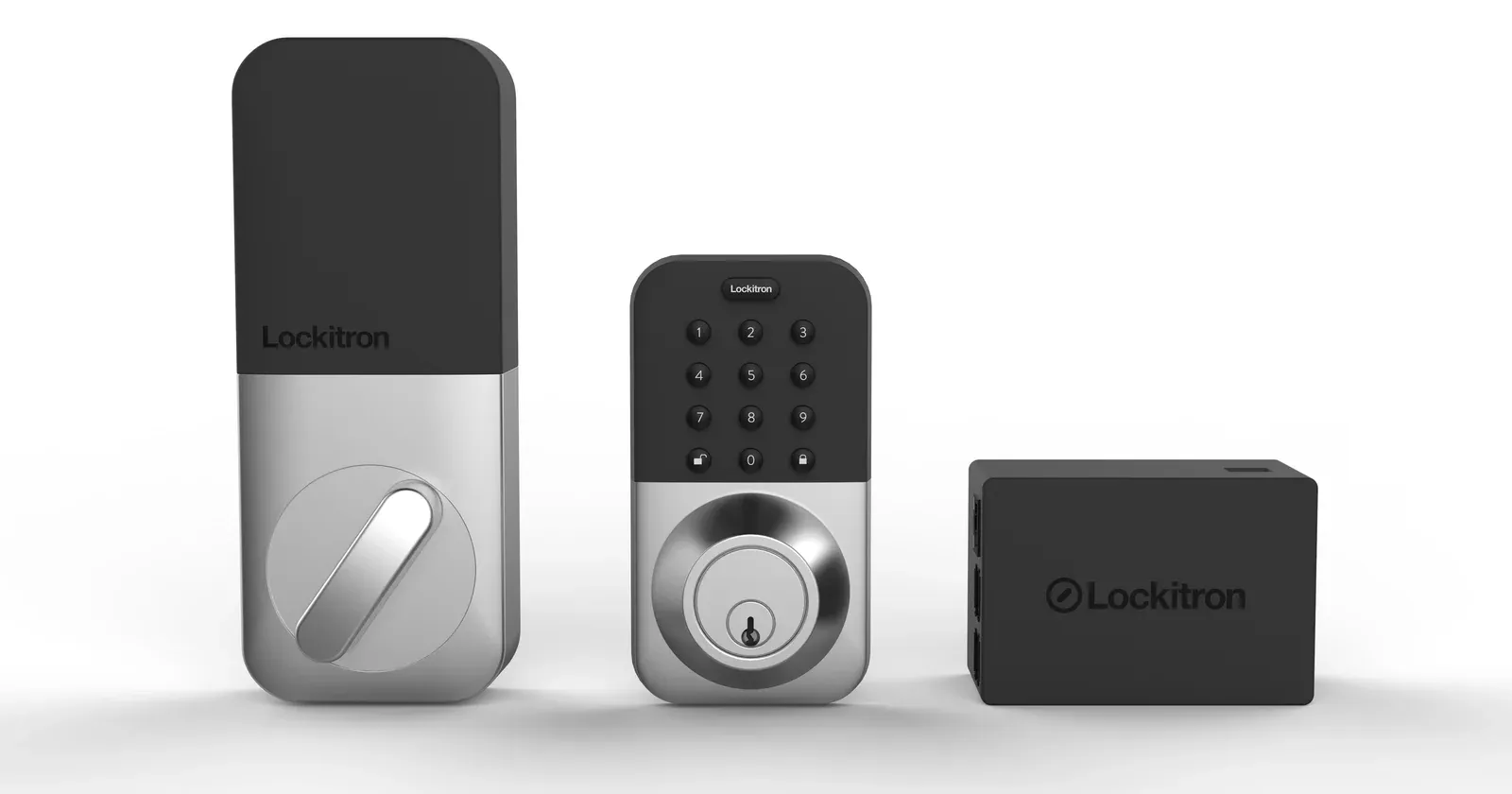
Photo: “Lockitron smart lock keypad bridge”, Lockitron/Apigy, Inc., Wikimedia Commons, CC BY-SA 4.0 (cropped and converted).
Frequently asked questions (FAQ)
Do smart locks actually survive -30 °C Canadian winters?
Yes, as long as you pick a lock whose exterior assembly is rated for deep cold (-30 °C to -40 °C depending on the brand) and install it on an insulated exterior door. That keeps the interior battery pack and motor on the heated side. Non-rechargeable AA lithium batteries also hold their voltage far better than alkaline cells when cold conducts through the metal cylinder.
What happens if the smart lock batteries die in the middle of winter?
All full deadbolt picks here include a physical backup key (except key-free Yale variants), and several add external emergency power (a USB-C port on the Aqara U100, 9 V terminals on the Yale Assure Lock 2) to wake the keypad long enough to get inside. Still, set a low-battery alert in Home Assistant around 25% so you are never caught off guard.
Why avoid a Wi-Fi-only smart lock for a local smart home?
Wi-Fi draws far more power than Zigbee, Thread or Z-Wave, cutting battery life to 3 or 4 months instead of 8 to 12 months. Most Wi-Fi locks also rely on the manufacturer's cloud for automations. Over Zigbee, Z-Wave or Thread/HomeKit, control stays local and keeps working even if your Internet goes down.
Can renters or condo owners install a smart lock without changing the exterior key?
Yes, with a retrofit lock like the SwitchBot Lock Pro. It mounts strictly on the inside of the door over your existing deadbolt thumb-turn. From the outside, the cylinder, key and appearance stay untouched, which satisfies most condo board rules and leases.